
"Be Thankful" Body Percussion Play-Along Video
This is the body percussion play-along that accompanied the original rhythm play-along video with the fall and thankful theme. There is a mashup of the snippets from the following songs: We Are Family by Bernard Edwards and Nile Rodgers, Performed by Sister Sledge; Vince Guaraldi Trio - Thanksgiving Theme; Home by Drew Pearson and Greg Holden, Performed by Phillip Phillips; Kind and Generous by Natalie Merchant; and Count on Me by Bruno Mars. The body percussion concepts performed coordinate with triple and duple meters, quarter rest, quarter, eighth, half, and whole notes.
If you are reading this and you are teaching the week of Thanksgiving, remember that you are almost to a long weekend! Here is another activity to help you get there with little to no prep!
A couple of weeks ago, I highlighted the rhythm play-along I created a few years back involving the theme of being thankful. I then followed it up with a body percussion play-along activity. The meters and some of the rhythms combined with the tempos can make this challenging. Try it yourself before using it with your class.
Teaching Tips
When I use play-alongs in music class, I begin by having the students read and perform the various patterns found in the song. Once they have, they use body percussion to perform with the play-along.
During the next class, I use wheelofnames.com to call on a student to perform one of the patterns in the song. This serves as an early performance assessment. The students use rhythm sticks this time when performing the song.
In the third class, I have students individually perform and read the pattern. I use this as an assessment to see if they are comprehending how to read and perform the pattern. We then find instruments in the class that are percussion, but not the standard rhythm sticks. We aim to balance the ensemble with some drums, bells, sand blocks, etc, so the students perform together along with the play-along activity.
Body Percussion


I will give the play-along activity a break and then come back to it with the body percussion play-along video. This is a good, quick activity to get my elementary students moving or to end the class when wanting to fill the final minutes of class. I will ask if the students figured out what body movements represented the note values in the rhythm play-along video.
If your students cannot snap, remind them that they can "flick" their fingers into the air.
Copy of the Body Percussion Play-Along Manipulatives
If you would like a copy of the body percussion play-along manipulatives, please check out my Buy Me a Coffee page.
Coming Soon!
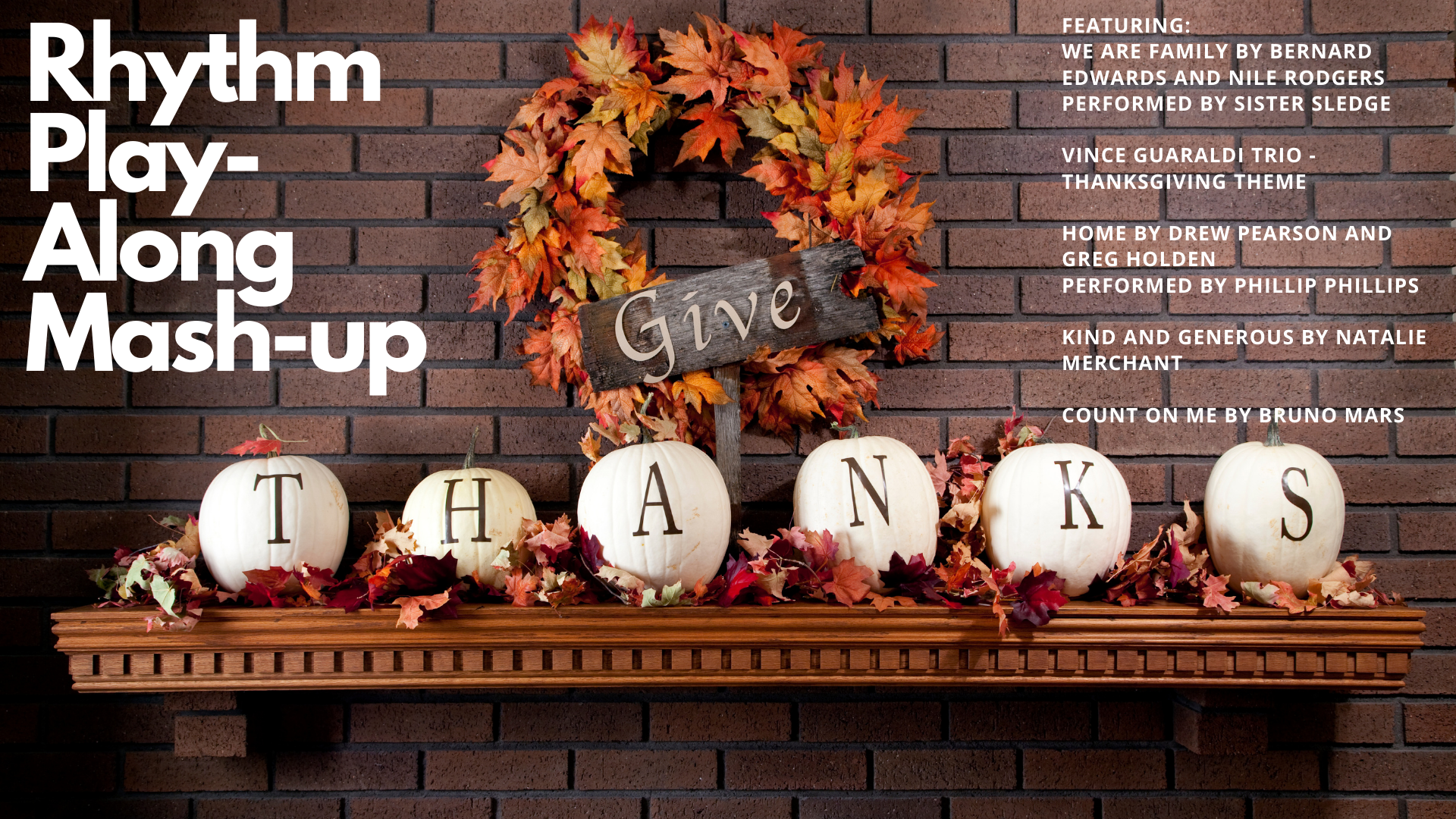
"Be Thankful" Medley Rhythm Play-Along
Two years ago, I created a rhythm play-along and later added a body percussion activity. Due to the varying meters, rhythms, and tempos, I suggest trying it personally before using it in class. This rhythm play-along emphasizes gratitude with a fall theme, incorporating snippets from songs about thankfulness and appreciation.
I developed this rhythm play-along five years ago and later introduced a body percussion play-along activity. The combination of meters, rhythms, and tempos can present a challenge, so I recommend trying it out personally before implementing it in your class.
Medley:
This particular rhythm play-along is one of my favorites as it emphasizes gratitude. Featuring a fall and thankful theme, it includes a mashup of snippets from the following songs:
We Are Family by Bernard Edwards and Nile Rodgers, Performed by Sister Sledge;
Vince Guaraldi Trio - Thanksgiving Theme;
Home by Drew Pearson and Greg Holden, Performed by Phillip Phillips;
Kind and Generous by Natalie Merchant
Count on Me by Bruno Mars.
Concepts:
The concepts performed are:
Triple and duple meters
Quarter rest
Quarter notes or Crotchets
Eighth notes or Quavers
Half notes or Minims
Whole notes or Semibreves
Manipulatives
The manipulatives to prepare your students for the rhythm play-along can be found at my Buy Me a Coffee channel at https://buymeacoffee.com/elmusedtech
Teaching Tips:
When I incorporate play-alongs in music class, I start by having the students read and perform the various patterns presented in the song. Once they grasp this, they engage in body percussion to accompany the play-along.
In the following class, I utilize wheelofnames.com to randomly select a student to perform one of the song patterns. This acts as an initial performance assessment, and this time, the students use rhythm sticks for their performance.
During the third class, each student individually performs and reads the pattern, allowing me to assess their understanding of reading and executing it. We then explore non-pitched percussion instruments available in the classroom, such as drums, bells, and sand blocks, to create a balanced ensemble that performs together with the play-along activity.
After a brief hiatus from the play-along, we return to it with a body percussion play-along video. This quick, engaging activity is perfect for getting my elementary students moving or for wrapping up the class in those last few minutes. I will ask the students if they were able to identify which body movements corresponded to the note values in the rhythm play-along video.
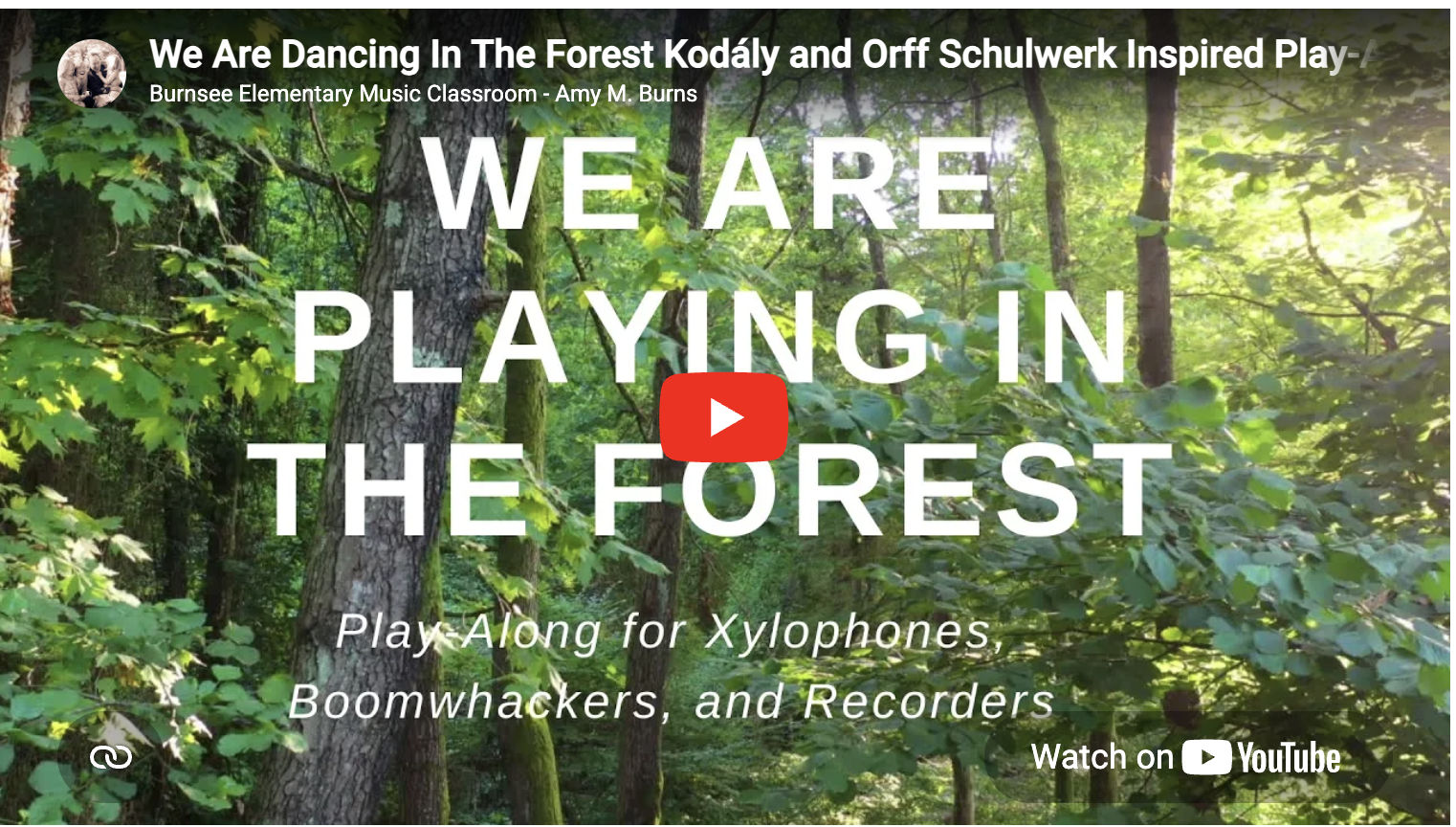
Bring We Are Dancing in the Forest to Life with a Multi-Instrument Play-Along
One of my favorite parts of summer is creating new resources that elementary music teachers can immediately take back to their classrooms. This post is an update from my summer series a few years back of play-along videos featuring songs and musical concepts commonly found in the Kodály and Orff Schulwerk approaches.
This week's featured resource is:
🌳 We Are Dancing in the Forest Play-Along
In this interactive play-along, students can perform the song using a variety of classroom instruments, making it easy to differentiate instruction and engage your entire music class.
Students can perform on:
Boomwhackers
Ukuleles
Xylophones
Recorders
Whether you're teaching whole-group instruction, centers, or instrument rotations, this video gives students the opportunity to make music together while reinforcing steady beat, melody, and ensemble skills.
Perfect for Kodály and Orff Approaches
We Are Dancing in the Forest is a wonderful song to incorporate into lessons centered around singing, movement, playing instruments, and musical literacy. The play-along format allows students to hear and see their part while developing independence and confidence as performers.
Because multiple instruments are included, you can:
Differentiate for various grade levels and ability levels.
Rotate instrument groups during class.
Reinforce melodic and rhythmic concepts in an engaging way.
Build ensemble skills while keeping every student actively involved.
Classroom Resources
Every play-along video in this summer series includes manipulatives to help you bring the lesson into your classroom right away.
Current resources include:
PowerPoint Slides presentation
Printable PDF lesson materials
Seesaw activity for your students
We Are Dancing In The Forest (METER OF 2, QUARTER NOTES, EIGHTH NOTES, AND S-L-M TONAL PATTERN)
The accompaniment is simple as it is just a melody line and a bass line of a separated tonic bordun of Do and Do’). The melody line is introduced first, followed by the bass line, and finished with both lines performed together in various melodic instruments found in the elementary music classroom.

Warmup
Since the tonal pattern is a focus of this activity, warming up our voices with sol-la-mi is how I begin this activity. Depending on whether this is in the preparation of introducing la, or the presentation, or practicing, this warm-up can be adapted to reach that certain goal.
I use this for practicing with a “Singing Simon Game” based on the game where Simon would play one note and the participant would play it back. Then Simon would add a note and the participant would copy it. This would continue with Simon adding more notes, one at a time until the participant makes a mistake and the game would end.
We would warm up in the same way where I would sing the pitch mi with the hand or body signal (see below in Melody), and the students would sing it back. I would then add sol, so the pattern is mi-sol. The students would then echo. I would then sing mi-sol-la and the students would echo. I would go to about six pitches and then ask a student to be the leader. No one gets “out” in this warmup. It is more for practicing the patterns and choosing a student to lead.
MELODY

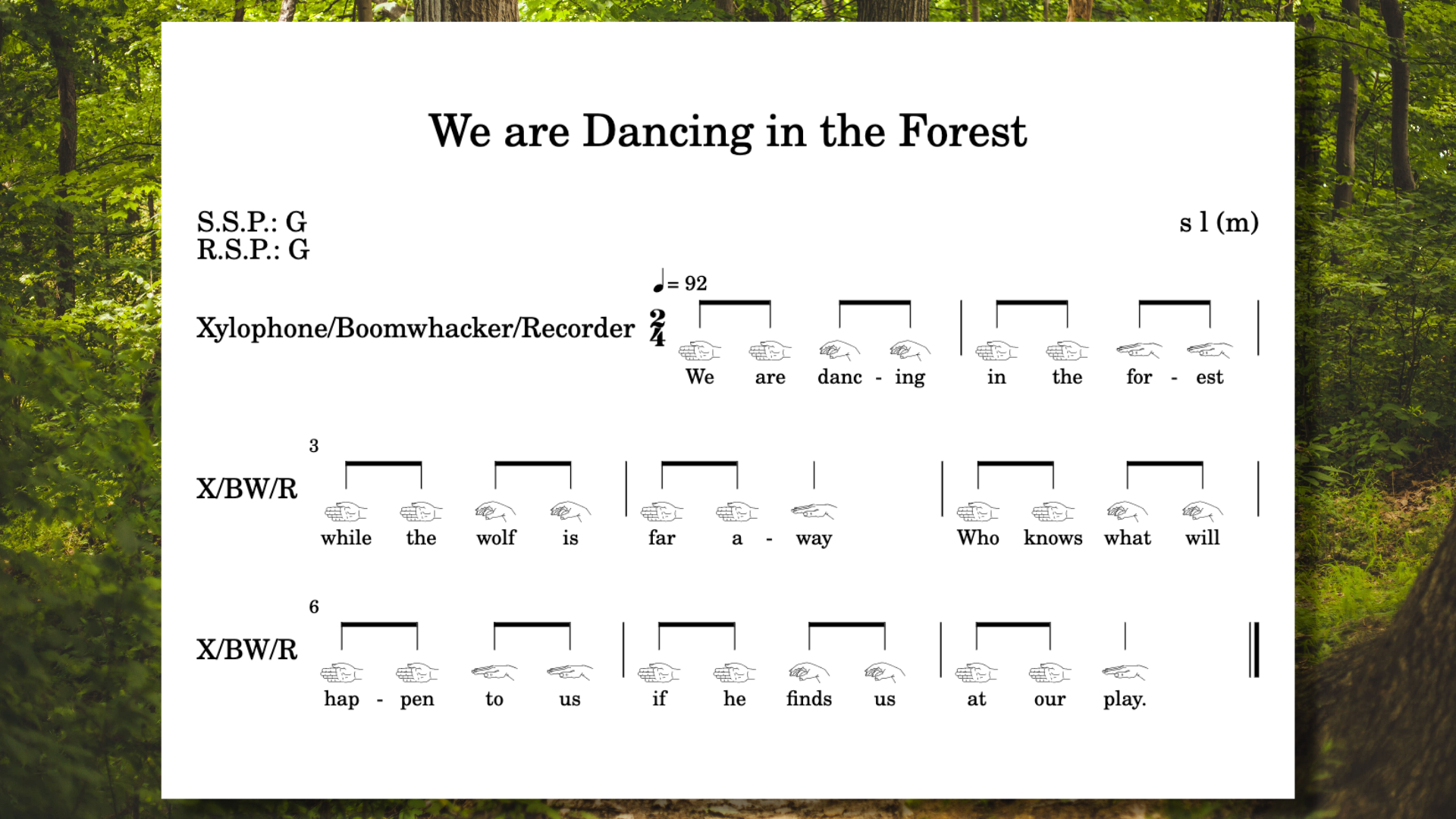
I have performed this activity and song with Kindergarten and above. When the recorders are added in the play-along, it is because we would revisit this song in third and fourth grade, depending on when they are ready to perform the note E.
After our warmup, we listen to the song. If the hand signals are being introduced by transferring body percussion to hand signals, then we convert sol by tapping the head, mi by tapping the shoulders, and la by tapping the air above our heads. We transfer that to the mi-sol-la-do-re-low sol hand signals.
I echo sing by phrase using solfege and hand signals. I then echo-sing two phrases. I ask them if the two phrases were the same (they are almost the same with the first phrase ending with eighth notes and the second phrase ending with a quarter note. I then echo-sing phrases three and then four. I ask them if phrases three and four same the same as one and two (they are the same).
To practice la, I will then sing the song without the la pitches as the students will sing those when they come up in the song. Finally, I echo-sing the words by each phrase, then two phrases, then four phrases. We then sing it together.
MOVEMENT ACTIVITY
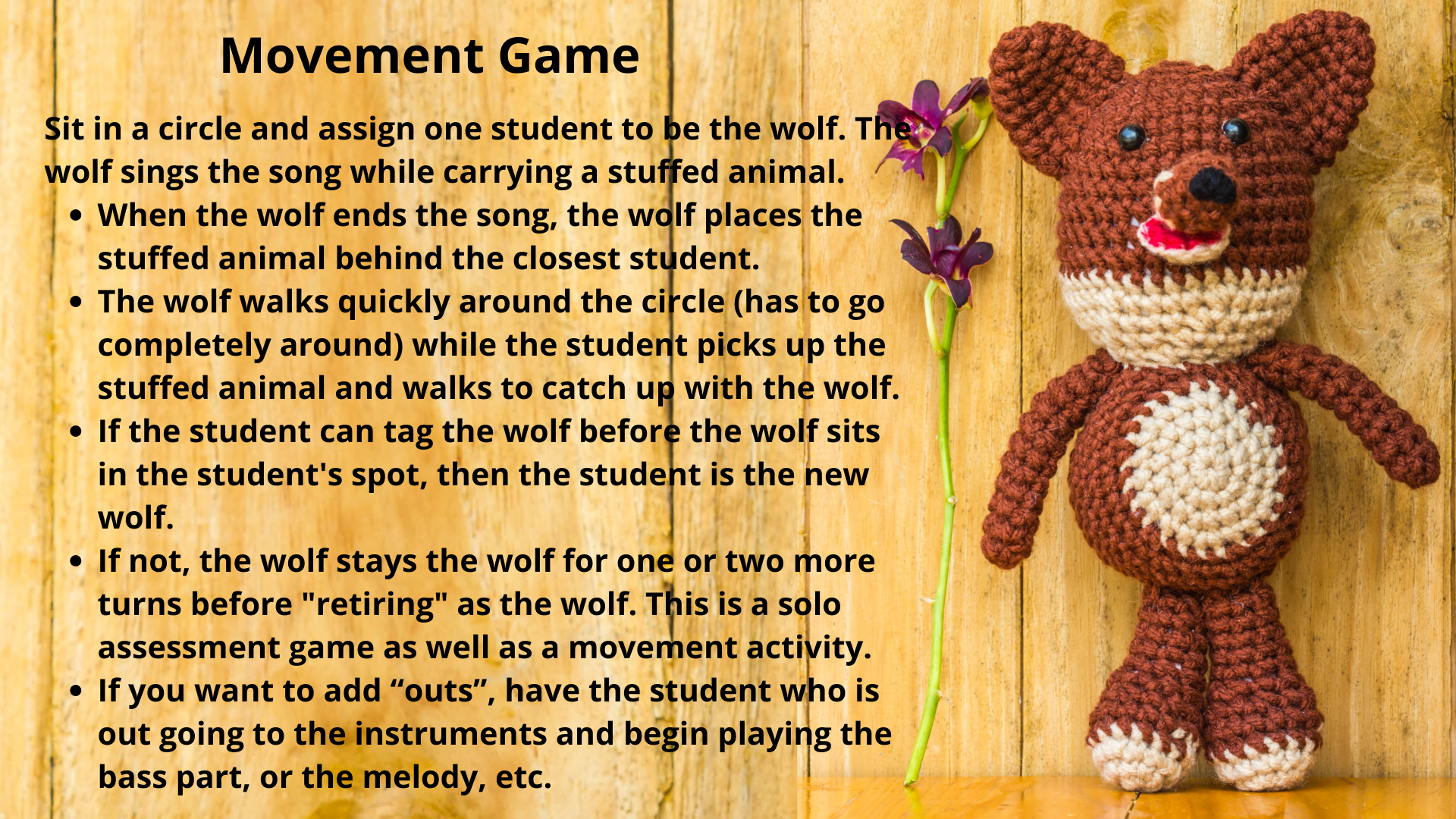
To reinforce the lyrics, and to assess solo singing, I have adapted a movement activity from “Charlie Over the Ocean” to “We are Dancing in the Forest”. You can adapt this for the readiness of your students.
Movement Game
Sit in a circle and assign one student to be the wolf. The wolf sings the song while carrying a stuffed animal.
When the wolf ends the song, the wolf places the stuffed animal behind the closest student.
The wolf walks quickly around the circle (has to go completely around) while the student picks up the stuffed animal and walks to catch up with the wolf.
If the student can tag the wolf before the wolf sits in the student's spot, then the student is the new wolf.
If not, the wolf stays the wolf for one or two more turns before "retiring" as the wolf. This is a solo assessment game as well as a movement activity.
If you want to add “outs”, have the student who is out going to the instruments and begin playing the bass part, or the melody, etc.
Bass Part
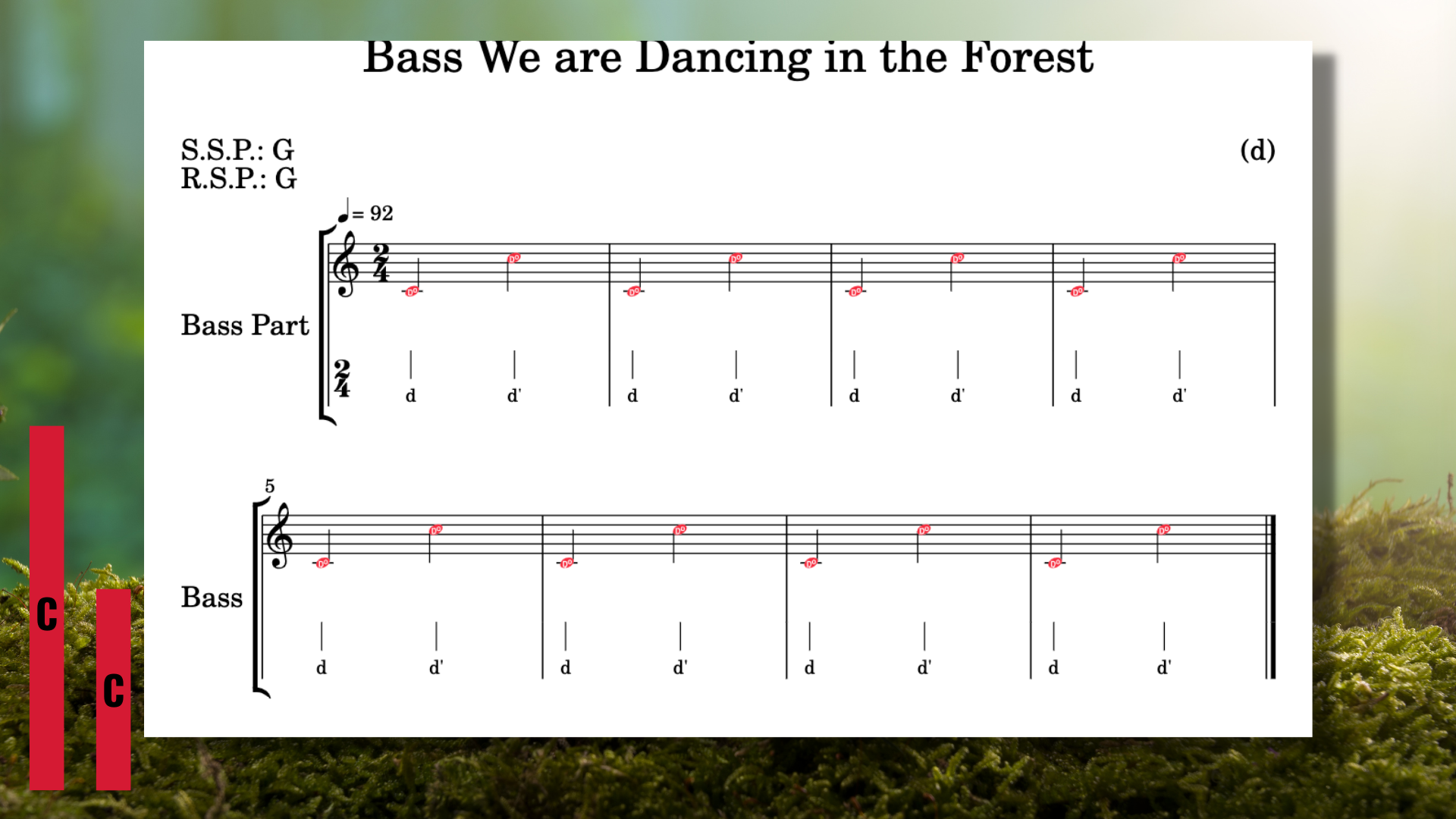
This bass part is a reinforcement of the steady beat. In my Orff Level 1 Class, we called this a tonic accompaniment as the bass part is only played on the Do and Do’ to the steady beat.
I begin with the students performing the steady beat on their laps with both of their hands patting together. Then, I ask them to separate with the first steady beat being performed with their left hand tapping their left leg, then their right hand tapping their right leg, and alternating after that. If they have trouble with lefts and rights, I can give them a scrunchy. We then transfer that to the C (left hand) and C’ (right hand) bars on the xylophones. Again, this can also be played with higher-pitched xylophones, virtual instruments, tone chimes, tone bars, and boomwhackers.
They all play the alternating tonic accompaniment and I sing and play the melody on my instrument.
Recorder and Boomwhacker Melody
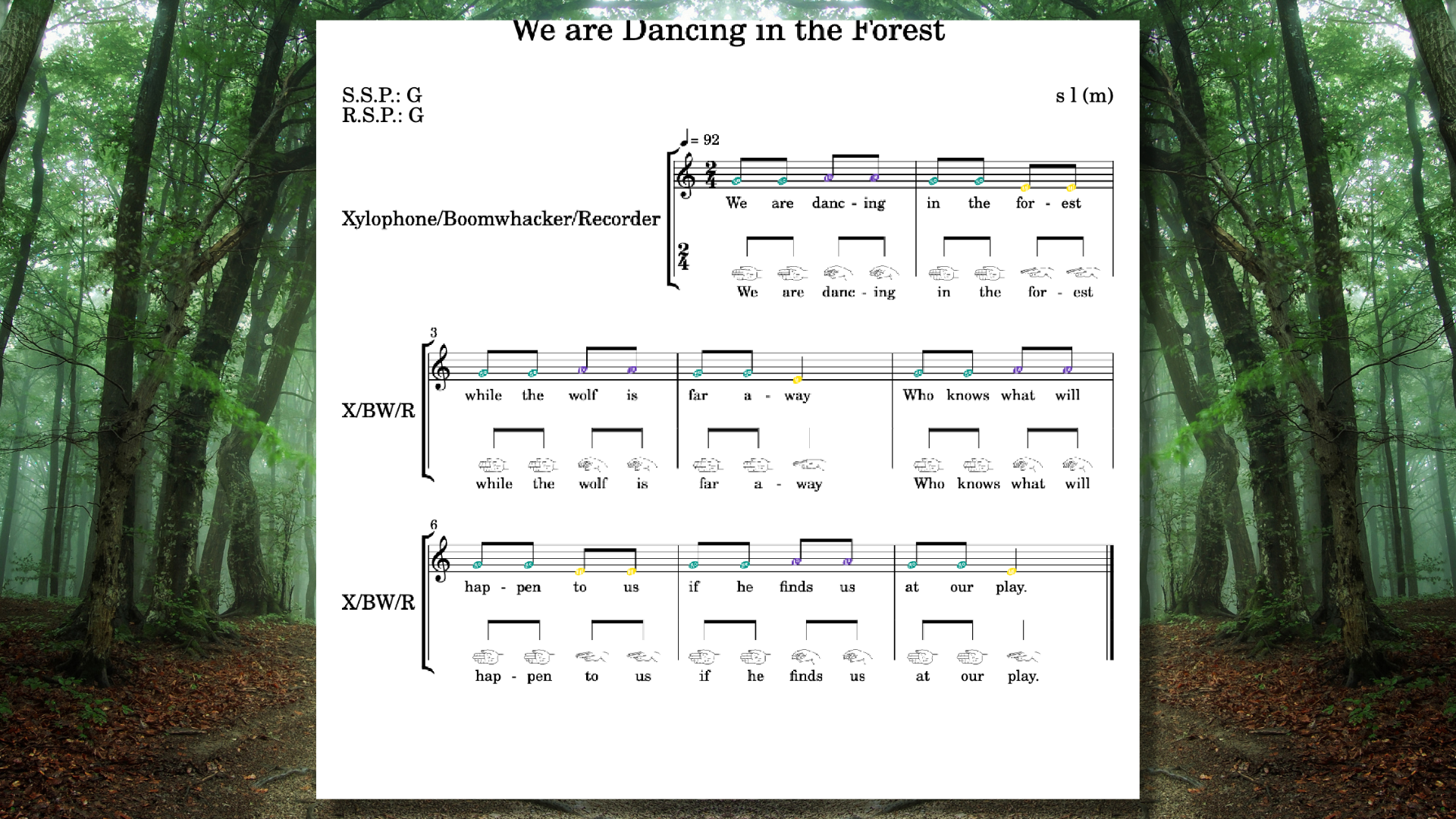


We revisit this song in grades three and four when they are ready to perform the note E on the recorder. We review the notes A (la and G (sol). We then make a “peace” sign with our right hand and add the two extra fingers to cover the next two holes so we can perform the note E. We discuss the importance of tonguing the notes so that the eighth notes are audible.
WHAT IF YOU DON’T HAVE ENOUGH INSTRUMENTS FOR YOUR STUDENTS?
That is where this lesson can be accomplished with xylophones, boomwhackers, tone chimes, tone bars, and virtual instruments. Since the melody has two pitches, you can supplement instruments that can play high and low, or the pitches of G and E, so that more students can perform. Virtual websites like Playxylo.com, my Scratch Boomwhackers site, and Dr. Musik’s website help when you might not have enough instruments, but you do have access to devices. This also helps students who cannot hold mallets in a traditional way so that they can make music alongside their classmates.
ALL PARTS
The next class brings all parts together as I review with the students how to play the melody and then the bass line. I divide the class in half and they play the parts together. If there are students without an instrument, they can perform the movement game and we switch throughout the class. We continue until all students have played the bass part, the melody, and the movement game.
Ukulele


Since this arrangement has a tonic accompaniment, if you have the pitch Do as the note C, you then can have students perform the C Chord on the ukulele to enhance the accompaniment. In my school, students as young as grade two learn and perform the ukulele.
Create a New Section


I usually integrate this song with a study of Prokofiev’s Peter and the Wolf. The rhythms of the characters and their instruments make up the new section. The students use this drag and drop activity (found in the Google Slides/PowerPoint and the Seesaw Activity included below) to create this new section. This can be done when Google Slides/PowerPoint is not in the preview mode. Though the gif I created a few years back shows me doing this in Canva, it would look the same in PowerPoint and Google Slides. When the section is created, we have a form of ABA where A is the melody and B is the newly created section.
MANIPULATIVES
The manipulatives below are available in my Extras page at https://buymeacoffee.com/elmusedtech/extras. They include Google Slides/PowerPoint and and PDF file. The free lesson plan is the post and the video is on the YouTube link listed below. The free Seesaw Activity is accessible by clicking the link below and using if you have a Seesaw Account), so that you can download and use them in the way that works best for your class.
Lesson Plan (this blog post)
Video: https://youtu.be/hCwj2SRlunY
📽️ PowerPoint Slides
https://buymeacoffee.com/elmusedtech/extras
📄 Printable PDF
https://buymeacoffee.com/elmusedtech/extras
💚 Seesaw Activity
https://app.seesaw.me/pages/shared_activity?prompt_id=prompt.49b4ebe7-65bd-48d8-802f-a95ce1a54873&share_token=DmycA2--QjqHlOUx6gERkw
Enjoying These Resources?
Creating these videos, lessons, and classroom materials takes many hours, and I love being able to share them with fellow music teachers around the world.
If these resources have been helpful to you or your students, please consider supporting my work by buying me a coffee:
☕ https://www.buymeacoffee.com/elmusedtech
Your support helps me continue creating free videos, classroom resources, and technology ideas for elementary music educators.
I hope We Are Dancing in the Forest brings joyful music-making to your classroom. If you use it with your students, I'd love to hear how it went!
Join Me!
If you're looking for more practical ideas, technology tips, and ready-to-use activities for elementary music, be sure to grab your free ticket to the Online Elementary Music Summit. You'll learn from dozens of elementary music educators and walk away with ideas you can use immediately in your classroom.
Get your free ticket here:
https://amy-burns--thatmusicteacher.thrivecart.com/all-access-pass-jul26-fa/
Play-Along Video Inspired by Kodály and Orff Schulwerk Approaches: Doggie, Doggie
Still teaching? I like to end my year or begin a holiday break with my younger students playing music activities that reinforce musical skills like steady beat, piano and forte, sol-mi-la combinations, movements, and more. Here is an activity using Doggie Doggie. It involves the movement game, singing sol-mi-la combinations, and a simple orffestration/boomwhacker arrangement, all in one video.
Reposted from June 2022 - Still teaching? I like to end my year with my younger students playing music activities that reinforce musical skills like steady beat, piano and forte, sol-mi-la combinations, and more. Here is an activity using Doggie Doggie
I am coming back to my summer goal of creating play-along videos to songs and lessons inspired by the Kodály and Orff Schulwerk Approaches. Lesson manipulatives will accompany each video (found on my YouTube page). The lesson manipulatives can be found on my Buy Me a Coffee page.
Doggie, Doggie (Duple Meter, Quarter/Eighth/Half Notes/S-M-L Tonal Pattern)
The second play-along video is “Doggie, Doggie” and the lesson is included in this blog. Doggie, Doggie is a traditional melody that includes a movement and solo-singing game. It focuses on the sol-mi-la tonal pattern and the rhythm values are quarter, half, and eighth notes in a duple meter.
The accompaniment is simple as it is just a melody line and a bass line of a separated bordun (do, sol, do, sol, etc). The melody line is introduced first, followed by the bass line, and finished with both lines performed together.
Melody
Like Lemonade, I have performed this lesson with students as young as kindergarten (and preschool if we only play the melody on their small xylophones). To begin, we warm up with call and response patterns of sol, mi, and la. If the hand signals have not been introduced yet, we begin with sol by tapping the head, mi by tapping the shoulders, and la by tapping the air above our heads. We transfer that to the mi-sol-la hand signals.


I then use the website Solfasinger so that the teacher or the students can create mi-sol-la patterns to echo. I like this website because there is a child’s singing voice used for solfege. It is a great website to keep in the back of your mind when you have to perform a virtual lesson or need to give a singing resource to your students. This link in the manipulatives and in this blog is set to the Solfasinger in F Major. You can change that on the website.

We then learn the melody. As with Lemonade, I teach it by call and response on solfege using the body movements of sol by tapping the head, mi by tapping the shoulders, and la by tapping the air above our heads. We then transfer that to the mi-sol-la hand signals, one phrase at a time. We increase the call and response to two phrases at a time, and then to the whole melody.
All vs. Solo vs. Doggie
The students and I discuss the difference between the three styles and how those styles will help play the game. If a student is too shy to sing the solo, give the solo to someone else. What I have seen happen is that shy students need time to watch others perform and then they find their comfort zone. The goal with solo singing at a young age is to encourage it and to make it a positive experience.
Performing Melody on Xylophones and Boomwhackers

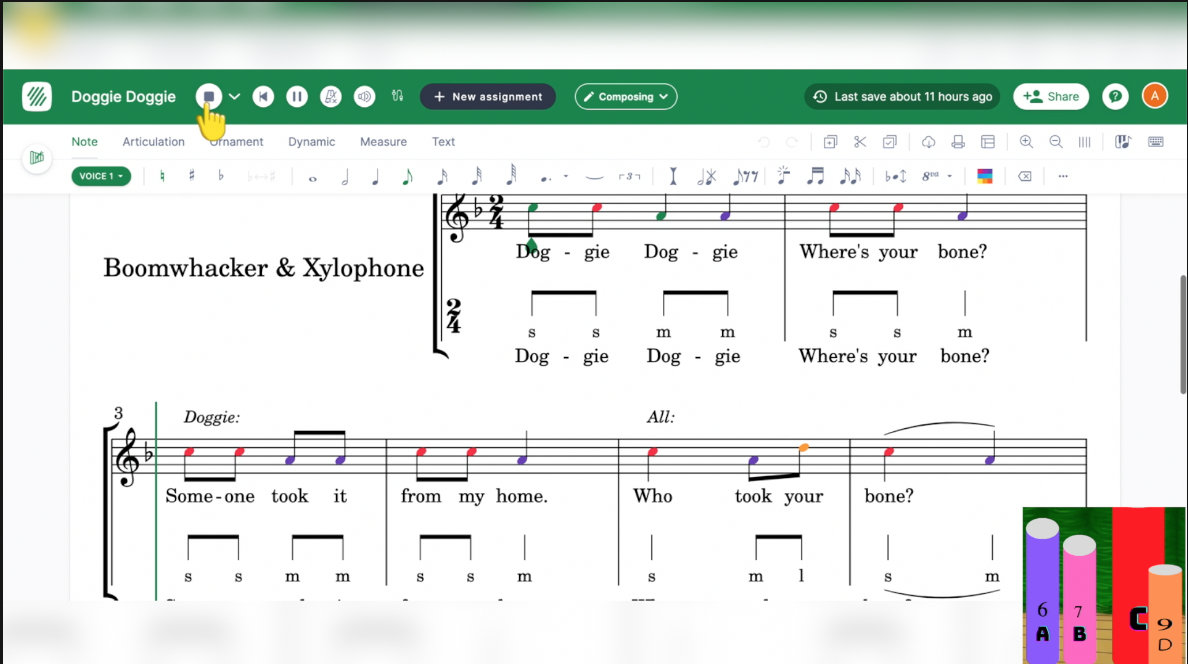
I love using Flat.io (education version) to create the visuals because you can create Kodály rhythm stick notation under the staff notation. And, you can include boomwhacker colors. I placed this song in the key of F to help my students sing in their head voices. However, many boomwhackers are pitched in C with the red C Boomwhacker labeled as Do. In Flat.io, I can create movable Do melodies so that the boomwhacker colors stay in their traditional form, but they can be labeled with movable Do. To see how to do this, see below.
Flat.io is available from their website and from great music dealers like MusicFirst.
As with Lemonade, in the next class, we learn the melody to Doggie, Doggie. After reviewing the song on hand signals and then lyrics, we transfer sol to the right hand and mi to the left hand so that they tap the rhythm on their laps. When we get to la, depending on the skills of your students, I have them perform s m-l s m pattern as r l-r r l. If your students are ready for a crossover pattern, you can teach them r l-l r l.
If the students have trouble identifying left from right, which is normal, I give them a scrunchy or rubber band to put on their right wrist to help with this.
What if Your Class Does Not Have Enough Instruments?
That is where this lesson can be accomplished with xylophones, boomwhackers, tone chimes, tone bars, and virtual instruments. Since the melody has two pitches, you can supplement instruments that can play high and low, or the pitches of G and E, so that more students can perform. Virtual websites like Playxylo.com, my Scratch Boomwhackers site, and Dr. Musik’s website help when you might not have enough instruments, but you do have access to devices. This also helps students who cannot hold mallets in a traditional way so that they can make music alongside their classmates.
Bass Part
Very similar to Lemonade, during the next class, we will learn the bass part. I begin with the students performing the steady beat on their laps with both of their hands patting together. Then, I ask them to separate with the first steady beat being performed with their left hand tapping their left leg, then their right hand tapping their right leg, and alternating after that. If they have trouble with lefts and rights, I can give them a scrunchy. We then transfer that to the C (left hand) and F (right hand) bars on the xylophones. Again, this can also be played with higher-pitched xylophones, virtual instruments, tone chimes, tone bars, and boomwhackers.
They all play the alternating bordun (F C F C, etc), and I sing and play the melody on my instrument.
Both Parts
The next class brings both parts together as I review with the students how to play the melody and then the bass line. I divide the class in half and they play the parts together. If there are students without an instrument, they can perform the movement game and we switch throughout the class. We continue until all students have played the bass part, the melody, and the movement game.
Rhythm
I did not approach the quarter and eighth note rhythm patterns in this lesson as I kept it focusing on singing, melody, pitches, and movement. However, the rhythm can be prepared in this lesson and presented with another song. Finally, it can be practiced via performing it on the instruments or creating their own B portion of the song Lemonade with the quarter and eighth notes.
Manipulatives
Here are the manipulatives for this lesson. Where I just suggested how to practice the rhythms by creating a new portion of the song, you can also practice the melody lines by creating a new song with the pitches sol and mi and using quarter and eighth notes.
The manipulatives below are for the taking and include Google Slides, Seesaw Activity, and pdf files so that you can download and use them in the way that works best for your class.
Manipulatives: https://buymeacoffee.com/elmusedtech/extras
PDF: https://buymeacoffee.com/elmusedtech/extras
Video
Rhythm and Boomwhacker Play-Along Inspired by Carol of the Bells
One of my favorite holiday pieces is “Christmas Eve/Sarajevo 12/24” by Savatage / Trans-Siberian Orchestra (1995). It is a combination of “God Rest Ye Merry Gentlemen” played in the beginning of the song by a solo cello, and then in a round with a flute and guitar. The next part picks up the tempo and is the melody of “Carol of the Bells” or “Shchedryk”, the Ukrainian New Year’s song by Mykola Leontovych, written in 1916. I recently arranged this piece for my school’s Philharmonic, which consists of students in grades 4-8 who play strings, brass, woodwinds, and piano. They had a wonderful time learning to play and perform the song, and it inspired me to create this play-along video. For this video, I edited the song and slowed down the tempo so that it could be successfully performed by elementary and middle school students.
Like my resources? Please consider buying me a coffee at https://www.buymeacoffee.com/elmusedtech.

One of my all-time favorite holiday pieces is “Christmas Eve/Sarajevo 12/24” by Savatage / Trans-Siberian Orchestra (1995). The song beautifully blends “God Rest Ye Merry Gentlemen,” which begins with a solo cello, and then transitions into a round featuring a flute and guitar. The next section picks up the pace and showcases the melody of “Carol of the Bells,” or “Shchedryk,” the Ukrainian New Year’s song composed by Mykola Leontovych in 1916. A couple of years ago, I arranged this piece for my school’s Philharmonic, a group made up of students in grades 4-8 who play strings, brass, woodwinds, and piano. They thoroughly enjoyed learning and performing the song, which inspired me to create this play-along video. For this video, I edited the song and slowed the tempo to ensure it could be easily performed by elementary and middle school students.
Musical Elements
The musical elements covered in the piece are the following:
Triple meter (the introduction which is in cut time is used for the introduction to the play-along video)
E Minor
Eighth, quarter, half, and dotted half notes
Quavers, crotchets, minims, and minims dotted
Accent
Fermata
The music contains Christmas Carols, so it can only be used in a setting that allows the music.
The piece can be played with rhythm sticks, classroom percussion instruments, boomwhackers, tone chimes, handbells, or virtual instruments like playxylo set to G Major (which is the relative e minor).
Manipulatives


These slides are to be used in your classroom so you can teach or review the rhythm patterns. They are seen above, but can also be downloaded in a PowerPoint file found on my Buy Me a Coffee Page (https://buymeacoffee.com/elmusedtech).
The file contains:
Title
Credits
Musical Elements covered in the play-along
Instruments that can be used
Quarter and four eighth notes pattern
Two rhythm patterns played together
The main motif of the quarter, two eighth notes, and the quarter note in the pitches of do ti-do la
Melody and Harmony
Motif 2 has the ascending bass line instead of the descending melody line (there are multiple slides for this)
Dotted half note rhythms
Quarter note rhythms
The main motif of the quarter, two eighth notes, and the quarter note in the pitches of do ti-do la
Melody and Harmony
Fermata and accent rhythms
Tips for Teaching:
There are a lot of different ways to teach these manipulatives, depending on where your students are in learning musical concepts. You could concentrate on the meter, use this to prepare/present/practice dotted half notes, or teach about the various melodies and harmonies found throughout the song. Whatever you decide, I hope that you have fun with this play-along video. Finally, when using YouTube, use the settings to change the tempo to fit your students’ needs.
Resources:
Savatage / Trans-Siberian Orchestra. (1995). Christmas Eve/Sarajevo 12/24. On Dead Winter Dead and Christmas Eve and Other Stories. Paul O'Neill.
#Techtiptuesday Halloween/Fall Play-Along Videos Playlist
Well, it's that time of year in the States. Personally, I loved Katie's picture of the few pumpkins and the purple packages of tangerines being sold in her area where here, if you turn around, you are presented with a pumpkin patch, hayrides, and pumpkin spice everything...not that I mind. I do love my pumpkin spice.
If you need some Halloween/Fall Play-Along Videos, especially if you are teaching on Halloween, please feel free to use these. If you like my resources, please consider buying me a coffee at buymeacoffee.com/elmusedtech.

Play-Along Playlist
Well, it's that time of year in the States. Personally, I love that if you turn around, you are presented with a pumpkin patch, hayrides, and pumpkin spice everything...not that I mind. I do love my pumpkin spice.
If you need some Halloween/Fall Play-Along Videos, especially if you are teaching on Halloween, please feel free to use these:

"Spooky Scary Skeletons" written by Andrew Gold in 1996 is a playful Halloween song about dancing skeletons, which became a more viral hit after The Living Tombstone’s remix in 2013 added an energetic beat. This remix became popular on social media platforms like Just Dance, YouTube, and TikTok, where people used it in Halloween videos, dances, and memes. Its catchy rhythm and fun lyrics make it perfect for a Halloween activity in music class for upper elementary and middle school, if you can use Halloween-themes activities.
Five Little Pumpkins - Song/Embellished Story/Play-Along -
I researched Canva's AI tools and had it rewrite the song, Five Little Pumpkins, and turn it into a whimsical tale. It was amusing, to say the least. I had fun using Canva to illustrate and record that tale. Most of this video was produced in Canva, with the recording of the song done in Soundtrap, and the final edits to put the three videos together in Final Cut Pro.
0:00-1:00 Song (I recorded myself singing it very lightly in the background)
0:52-4:37 Whimsical Tale of Five Little Pumpkins
4:37-end - Steady Beat or Boomwhacker Play-AlongHalloween-Themed Inspired Play-Along with Live Instrumental Selections -
Taking five familiar live instrumental selections played often around Halloween time, this is a medley rhythm play-along intended for older elementary and middle school music classes.
Selections
I chose snippets from the following five selections because I adore these pieces and they have a lot of musical concepts to offer:
-Bach’s “Toccata and Fugue”
-Dukas’s “The Sorcerer’s Apprentice”
-Mussorgsky’s “A Night on Bald Mountain”
-Grieg’s “In the Hall of the Mountain King”
-Saint-Saëns’s “Dance Macabre”October Body Percussion Play Along -
This body percussion play-along video compliments the rhythm play-along video so that you can choose which one is better for your students to perform. It does involve Halloween songs, so if that is not allowed, stay tuned for a pumpkin video later in October. This is a mashup (30-second audio clips) of The Addams Family by Vic Mizzy, Ghostbusters by Ray Parker Jr, The Munsters by Jack Marshall, Hedwig's Theme from Harry Potter by John Williams, Monster Mash by Bobby "Boris" Pickett and the Crypt Kickers, and Werewolf by Warren Zevon.
October Rhythm Play-Along Mashup! - One of my most popular play-along videos, this is the rhythm version of the body percussion play-along.
Skin and Bones Play-Along for Vocal, Xylos, Percussion, BW, Recorders, Ukuleles, and Movement -
00:20 Vocals
01:16 Bass Part
02:29 Percussion Parts
03:23 Boomwhacker Parts
04:25 Recorder Parts (I usually teach the Chorus first before deep-diving into the verses)
05:29 Ukulele
06:31 Movement Activity (description)
06:43 All parts combinedPass the Pumpkin Round and Round - To breakdown the video so you can use it as a whole or teach it in parts:
00:19 Melody
01:28 Bass Line
01:59 Percussion
02:29 Steady Beat Game/Activity
03:28 All of the parts togetherAutumn Medley Body Percussion/Movement Play-Along Video - A play-along video is one that focuses on movements and rhythms so that you can choose how to use them in your classroom. In the States, Autumn begins this week. I chose a medley of songs that include the months of September and October, and the seasonal weather that is associated with fall in certain parts of the world. This video does not mention Halloween or pumpkins, but more in the lines of leaves and the weather becoming colder. Medley Resources:
“September” by Earth, Wind & Fire“Harvest Time” by Luke Bryan featuring The Bartaks
“Just Like Autumn” by The Tuesday Crew · Jordy Searcy · Carly Bannister
“Autumn Leaves” by Ed Sheeran
Manipulatives
Many of the play-along videos have manipulatives that can be found on my Buy Me a Coffee Channel at https://buymeacoffee.com/elmusedtech
Hope these help for this season!
Pass the Pumpkins Round and Round - a play-along video for singing, xylophones, classroom percussion, and a steady beat game!
This is the seventh installment of my summer project of creating play-along videos of songs and concepts found in the Kodály and Orff Schulwerk approaches. This week, I feature Pass the Pumpkin Round and Round play-along video and steady beat movement activities (Boomwhackers, Percussion, Xylophones, and Game) video.
To break down the video so you can use it as a whole or teach it in parts:
00:19 Melody
01:28 Bass Line
01:59 Percussion
02:29 Steady Beat Game/Activity
03:28 All of the parts together

In the States, pumpkin-themed foods such as pumpkin lattes, pumpkin spice candles, pumpkin coffee, pumpkin cereal, and numerous other items begin appearing by mid-August. For years, there have been articles explaining why people in the States are so obsessed with pumpkins. Whether it relates to the psychological theory called “reactance” where we have the inclination to act on limited-time offers, or a nostalgic draw to pumpkins, or it is synonymous with an American feel, this is the time of year when pumpkins are found everywhere. Even in the music classroom, where they might not be experiencing the season of fall or have any pumpkins available to them, pumpkin songs, games, and music activities, appear.

Credit: frabz.com
I will admit that I love pumpkin-spiced everything from food to themed-filled activities in my music classroom. Pumpkins are one of those items that you can use to connect to students. It represents a season so teachers can use it to connect to all of their students as they all have some sort of understanding of the characteristics of this season.
Pass the Pumpkin
This was the seventh installment of my 2022 summer project of creating play-along videos of songs and concepts found in the Kodály and Orff Schulwerk approaches. This one featured Pass the Pumpkin Round and Round as a play-along video and steady beat movement activities (Boomwhackers, Percussion, Xylophones, and Game) video.
Manipulatives
The manipulatives can be found at my Buy Me a Coffee page at https://www.buymeacoffee.com/elmusedtech
Teaching the Song
Brief Description
I teach the song with solfege, which is a great way to prepare/present/practice a song based on "la." We then play the game and if the pumpkin lands on them, they are now in the band. This means that they play the gong first on the "boo." As more students have the pumpkin land on them, they rotate through the instrumentation, which consists of xylophones, metallophones, and classroom percussion. Eventually, everyone is in the band and the last person wins the pumpkin and places a sticker on the mosaic board. There is a video below that explains it all and has the parts.
More In-depth Description:
The process I would use depends on the age group and background musical knowledge of the students. The process would be something like the following:
Warm up with pitch sets using “la” as the foundation.
Teach the song using solfege one phrase at a time.
Discuss melodic direction and use movement to reinforce it.
Echo-sing each phrase with words.
Sing the entire song.
Teach the steady beat bass line using their hands and laps.
Transfer that process to the xylophones.
Sing the melody while they accompany themselves performing the bass line.
Remember that you can have one or two students play while the others sing.
You could also use virtual instruments like https://playxylo.com/ or https://www.doctormusik.com/apps-and-games/virtual-xylophone/
Teach the percussion parts.
Prepare, present, and practice the rests found in the percussion parts.
Divide the class so that some sing, some play the bass part, and some play the percussion parts.
Teach the steady beat game.
If they end up with the pumpkin, they join the band and play the instruments found in the song (or you could add more).
If the steady beat is too quick, have them perform the half-note rhythm.
Play until one student is left in the circle.
If appropriate, teach how to perform the melody on boomwhackers, xylophones, or other melodic-pitched instruments.
Reactions
My students of all age groups love this activity. It takes around two to three classes to complete so that all students have turns to perform on the various instruments. The game is one they ask for often because they don’t get “out” in the game because they get to join the band. They like that when they are no longer in the circle passing the pumpkin, they can perform on various instruments.
For those students where passing the pumpkin to the steady beat is challenging, I will then change the tempo or change the passing to a half-note rhythm as opposed to a quarter note so that they experience success.
If there are students who perform in the band and have challenges keeping the steady beat, I will then sing with the students to help the steady beat. Eventually, there will be a student who can lead the band well by playing to a steady beat and performing successfully together.
Tips:

Use the speed tool to change the tempo so your students feel successful.
If the video is too fast, use the YouTube
If the portion of the video that has all of the parts is too busy, please feel free to skip that part.
To break down the video so you can use it as a whole or teach it in parts:
00:19 Melody
01:28 Bass Line
01:59 Percussion
02:29 Steady Beat Game/Activity
03:28 All of the parts together
I hope that you enjoy this activity and play-along video!
Resources:
Khan, Z. (2021, October 27). Why is America obsessed with pumpkins? WION. Retrieved August 28, 2022, from https://www.wionews.com/entertainment/lifestyle/news-why-is-america-obsessed-with-pumpkins-424472
Nicholas, E. (2017, September 28). How pumpkins became an American obsession. Culture Trip. Retrieved August 28, 2022, from https://theculturetrip.com/north-america/usa/articles/heres-why-americans-love-pumpkins-so-much/
Stoller-Conrad, J. (2012, November 20). Why americans go crazy for pumpkin and pumpkin-flavored stuff. NPR. Retrieved August 28, 2022, from https://www.npr.org/sections/thesalt/2012/11/19/165508669/why-americans-go-crazy-for-pumpkin-and-pumpkin-flavored-stuff
Play-Along Video: Graduation Medley
In the States, as we approach the end of May and then the month of June, many schools are having graduation or “moving up” ceremonies. These time-honored traditions can include a graduation song that the students sing during the ceremony. These songs usually consist of a message of hope, growing up, or something else that is very positive. This does limit our choices for songs and many teachers ask for advice on what songs would work well. In this blog post, you will find a Wakelet of song choices and a rhythm play-along medley with five songs that my students have liked over the years for these ceremonies. Come back next week when the medley will include boomwhackers.
Like my resources? Please consider buying me a coffee at https://www.buymeacoffee.com/elmusedtech

In the States, as we approach the end of May and then the month of June, many schools are having graduation or “moving up” ceremonies. These time-honored traditions usually involve students receiving a diploma that declares that they have graduated from a certain grade level or school. They can also include crossing over a bridge or a stage to signify moving up to the next school year.
Graduation Song
If you have been reading the music education networks, you have probably come across numerous requests for an elementary graduation or “moving up” ceremony song for the students who will be leaving the school. For example, a district might hold a fourth-grade graduation if the elementary school ends at that grade level and middle school begins at fifth grade.
Many music educators have to find an age-appropriate song for the graduating students to sing at the ceremony. These songs usually consist of a message of hope, growing up, or something else that is very positive. This does limit our choices for songs and many teachers ask for advice on what songs would work well.
End-of-Year Graduation Songs Wakelet
The request for a great song last year inspired me to create an “End-of-the-Year Graduation Songs Wakelet.” This Wakelet is broken into categories of PreK/K, Higher Elementary, Middle School, and Articles about Graduation. The Wakelet has links to YouTube videos of the songs, lyrics, and articles of various songs that have been used with specific age groups. The link is here or you can click below.
Graduation Songs Medley Rhythm Play-Along
From that Wakelet, I picked five of my students’ favorite moving up and graduation songs over the years. They are:


From there, I listened and mashed up the five songs to create a medley.
Rhythm Patterns
Though not all songs are in a four-meter (one is in cut time), I chose to keep it all in a four-meter to help the elementary students read the rhythm patterns successfully. The rhythm values are:
Quarter Note - Crotchet
Half Note - Minim
Whole Note - Semibreve
Eighth Notes - Quavers
Quarter Rest

How to Teach the Rhythm Play-Along
I begin with a movement game that involves the rhythms in the medley.
I then project the rhythm slides that go along with the medley that you can download here.
I use Wheel of Names to choose students to perform the medley rhythm patterns. When they clap the pattern, they then earn a pair of rhythm sticks to perform with the play-along video.
Once all students have had a turn (or sometimes I spin the wheel of names in groups of two or four to speed up the process), they are ready to perform the medley play-along with their rhythm sticks.
I vary it up by calling out, “only those who are wearing a solid color shirt will play now.” Then I would call out, “now only those who are not wearing solid color shirts.” You can then lessen the sound of all of the students performing at once.
Boomwhacker Play-Along
Next week, a Boomwhacker Play-Along Video to this medley will premiere on my YouTube channel. Stay tuned!
New to MusicFirst Elementary? This video will help you with the documentation found inside the curriculum!
The wise folks at MusicFirst Elementary (MFE) Powered by Charanga have crafted a treasure trove of docs to help you get the most out of their program. If you are new to the program, use this video to assist you with getting started!
0:00-:31 Introduction
0:31-1:05 Getting Started with MusicFirst Elementary (wonderful to read as the introduction to the world of MFE)
1:05-1:20 MusicFirst Elementary Summary (Data about MFE to share with administrators, families, etc.)
1:20-1:41 MusicFirst Elementary National Standards Alignment (Showcases how you are meeting each standard at every grade level)
1:41-2:15 MusicFirst Elementary Curriculum Design (Use the principles outlined in this document to enhance your program)
2:15-2:46 Scope and Sequence (You can use this to check the melodic pitch sets and rhythmic values for each grade level)
2:46-3:05 My Workspace: Setting Up Students and Yumu (see the full video here: https://youtu.be/p3f6_XCuqhc?si=9sL9he4RvB2H4LMO )
3:05-3:40 Musical Spotlights (You can use this to find extensions for lessons, outlines for teaching concert music, and as a springboard for other lessons and unit ideas)
3:40-4:11 Social Themes (Many Essential Questions can be found here)
4:11-4:36 Guided Questions Bank: K-5 (Use these as writing prompts and for writing samples in your older elementary music classes)
4:36-4:53 Documentation found at the top of each grade level
4:53-5:28 Learning Objectives and Content by Musical Element
5:28-5:40 Learning Objectives by Activity (In grades 3, 4, and 5, Music Notepad is added) 5:40-5:46 National Standards Alignment (Checklists)
5:46-6:06 Curriculum Map (Download and give to administrators)
6:06-6:29 Musical Progression Guide (Each song is listed by grade level, pitch set, rhythmic value, activity, and more)
6:29-7:40 Assessments (Checklists, Printables, and more)
7:40-8:18 Creative Tools (A brief overview of the documentation included with the creative tools)
8:18-end Conclusion
What to learn more?
Check out the 16 videos about everything MusicFirst has to offer and a deep dive into the curriculum and creative tools!
Have You Checked Out MusicFirst Elementary?
Have you checked out MusicFirst Elementary Powered by Charanga? Check it out here!

Try it for 30 days: https://www.musicfirst.com/software/musicfirst-elementary
Last May, I joined the wonderful team at MusicFirst as their Elementary Music Consultant. They introduced me to Charanga, which is a music education curriculum based in the UK, but used in various countries as well, that supports music educators in teaching music with technology. The curriculum has a spiraled, scope-and-sequence approach, that encourages making music, performing music with voices, classroom instruments, and band and orchestral instruments, creating music, and integrating all subjects into the music classroom from history to science. It is a curriculum that has technology enhancing the teaching going on in the classroom and keeping the students actively “doing music” and not passively watching a screen.
MusicFirst Elementary (MFE) Powered by Charanga is fully aligned with the National Core Arts Standards. This involved a meticulous process to ensure that each standard was approached at every grade level. Essentially, we took a product that was working very well in the UK and rewrote it to fit with our education system here in the U.S.
Grade Levels

Try it for 30 days: https://www.musicfirst.com/software/musicfirst-elementary
Every elementary general music classroom includes singing, moving to music, listening, improvising, performing on instruments, learning music theory, learning music from various countries, cultures, languages, and more, MFE encourages all of this and more. Each grade level introduces new concepts as it reinforces musical concepts taught in previous grades. It includes original and public-domain music. The song-based approach allows the students to dive deeper into the music and utilize higher-order thinking skills to thoroughly experience and learn the concepts being taught.
Instrumental Parts

Try it for 30 days: https://www.musicfirst.com/software/musicfirst-elementary
One of the items that connected with me was that many of the songs in grades 3, 4, and 5, have instrumental parts included in them. Whether it is the melody of the entire song or just a portion of the song, my students can grab their violin, saxophone, clarinet, flute, or trombone, or bring in their guitar, and perform the song that we are learning. Many of the songs have multiple levels of parts so that your beginner saxophonist and your advanced flutist are challenged. If you were trained at an institution as a vocal, concert band, modern band, wind ensemble, chamber ensemble, brass ensemble, orchestra, jazz band member, etc., and you have elementary general music on your teaching schedule, this curriculum will speak to you.
Built-In Activities

Try it for 30 days: https://www.musicfirst.com/software/musicfirst-elementary
Another component that drew me in was the activities included in the lessons. These activities encouraged improvisation, composition, and performance. The lesson plan can guide you through these activities if any of those concepts are uncomfortable to teach in an elementary music classroom. Or, if you have a great handle on teaching these concepts, then the activities enhance beautifully what you are currently teaching.
Music Creation Apps/Creative Tools
MFE has six music creation apps in the curriculum. Some are written into the lessons, especially for your older elementary students. However, these can also be used as stand-alone activities for your students.
Rhythm Grids: These can be used for decoding and practicing rhythm patterns to wonderful accompaniments.
Quickbeats: Have students create their own beats in an age-appropriate app.
Percussion Writer: Play and compose with classroom percussion.
Music Explorer: My students love composing their own melodies and adding musical accompaniments of various musical styles.
Music Notepad: A fabulous music notation program specifically designed for students up to grade 5 or 6.
YuStudio: A cloud-based digital audio workstation with scoring video included! And, it has Music Notepad built into it so your students can compose a melody, add loops, and score videos all in one program! 🤯
Since MFE has student login access, you do not need to go out of the program and use free creation tools that could gather student information. It is all included in MusicFirst Elementary.
Want to see more?
Check out these 14 videos I created that deep dive into each grade level, FAQ, customizing the lessons, and all of the creative tools.
Also, check out these resources:
Jim Frankel’s Blog Top Ten Reasons to buy MusicFirst Elementary
Profiles in Teaching with Technology with Dr. Mary Birkner & Joanna Mangona, two creators of MusicFirst Elementary
Try it for 30 days: https://www.musicfirst.com/software/musicfirst-elementary
Snail, Snail Boomwhacker Play-Along Video
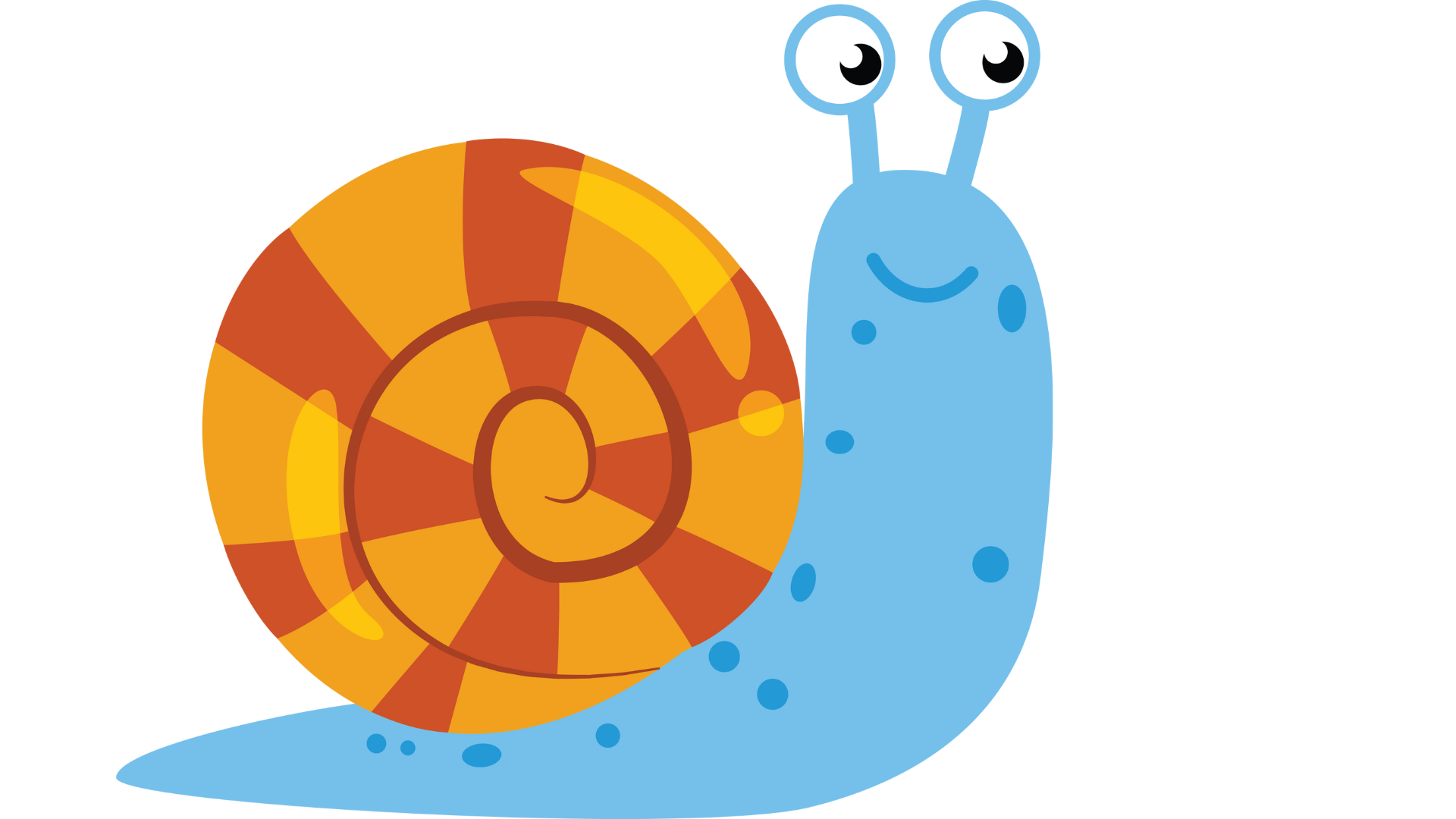
In this video, I am using Canva's animation tool to record the movement of the snail. This can be used as a play-along video and a sing-along video. You could also use this as an assessment and place it in an LMS platform or Seesaw to share with your students. Like my resources? Please consider buying me a coffee at https://www.buymeacoffee.com/elmusedtech
Resources: Blog Post:
Seesaw Activity: https://app.seesaw.me/pages/shared_activity?prompt_id=prompt.e995c45f-2425-4b93-a737-abe664e428c4&share_token=b-lfU1JtS6qZy3NrDJH-4g
Snail, Snail: https://kodaly.hnu.edu/song.cfm?id=833
Canva for Education: https://www.canva.com/education/

For the past few weeks, Katie Argyle of Midnight Music has been running a fantastic course about using Canva in the classroom titled, “Create Beautiful Teaching Resources with Canva”. If you took the course a couple of summers ago, she has updated it with many of the new tools. I would encourage you to check it out today since K-12 educators have access to the free Canva for Education program, which is like the professional version.
Create an Animation Canva Tool
I created a boomwhacker play-along to the simple song, Snail, Snail. You can find a copy of the song here. It can also serve as a singing assessment where the students watch the video and then sing when I drop out. My goal for this video is two-fold:
To have the students perform the boomwhacker play-along accurately.
To have the students sing and perform the song accurately.
For Katie’s course assignment, I decided to use Canva to create this video instead of the video editing programs I usually use. The process was as follows:
I placed the lyrics onto the screen using the text tool.
I add a background using the Photos tool and made it lighter using the transparency tool.
I added the snail using the Elements tool.
I then used the Create an Animation tool to record me moving the snail as a “follow the bouncy ball” video. I could have smoothed it or made it follow with the “steady” tool, but it would not have matched up to the rhythm of the lyrics.
I liked the results and wanted to record myself singing with the animations. I could not get Canva to do that accurately so I screen-recorded it using Loom and exported the audio from that video. I then added it to the Canva video.
I then exported the video.
I liked the results and made it into a Seesaw Assessment Activity.
Rubric
The students can now learn the song and then record themselves singing it into the Seesaw app. We can also play it up on the screen and the students can sing and play along with their assigned boomwhacker.
This song is very simple with three pitches, so I would use this with kindergarten and first grade. I would also use it with second grade as a review at the beginning of the school year. Finally, we would perform the movement game to help with the repetition of learning the song and to have the students move to the music.
4 - Sings the pitches sol, mi, and la accurately without any assistance from the teacher.
3 - Sings the pitches sol, mi, and la accurately with some assistance from the teacher.
2 - Can only sing the pitches sol, mi, and la with assistance from the teachers.
1 - Speaks the song.

Stay tuned for more resources and tech tips as we approach the start of a new school year or the return from a holiday break.
Artificial Intelligence (AI) and Concert Programming Resulted Snowflake-Samba Body Percussion Play-Along Video!
Recently, an elementary music educator asked the music education community if they inquired with the AI tool of choice on what music to plan for their winter concert program. ChatGPT created a list and it had "Snowflake-Samba" on it. Upon research, the only song I could find was the one written by Doneus. I could not find an elementary song with that title. Maybe someone will compose one. Until then, please enjoy this post about AI and this body percussion play-along to this very nice song!
Like my resources, please consider buying me a coffee at https://www.buymeacoffee.com/elmusedtech/

AI Uses for Elementary Music Teachers
Recently, an elementary music educator asked the music education community if they inquired with the AI tool of choice on what music to plan for their winter concert program. I giggled at first about this idea, but I have found AI to have many benefits for me. Items I have used it for:
Giving me examples for emails, letters of recommendation, and other documents. Previously, I would perform Google searches to accomplish this, but AI saves me a lot of time and gives me examples to work from.
Lesson plan ideas.
Curriculum integration ideas.
Learning Objectives for each grade level.
Progress reports, especially for challenging reports.
Create lists for various activities.
Help with wording for blog posts.
Those are just some examples. However, the concert list was one I had not thought of.
AI Tools
There have been numerous AI tools that have been offered over the past few months. In the rapidly evolving world of technology, Artificial Intelligence (AI) continues to make significant strides. From automating repetitive tasks to predicting customer behavior, AI tools have become indispensable for businesses and individuals alike. Here are some notable AI tools that have gained popularity:
1. Chatbots: Have you seen Snapchat’s Chatbot? It is like asking Alexa, Siri, or Google for information with an avatar answering via text. Chatbots are AI-powered virtual assistants that mimic human conversation. They can handle customer queries in real time, providing instant responses and helping to automate customer support processes.
2. Virtual Assistants: Virtual Assistants like Siri, Alexa, and Google Assistant use AI to understand and respond to voice commands. These AI-powered assistants perform tasks, answer questions, and provide personalized information based on user preferences.
3. Automated Content Generation: AI tools like GPT-3 (Generative Pre-trained Transformer 3) can generate human-like text by understanding context and providing coherent responses. They find applications in content creation, automated news writing, and even chat conversations.
Ask AI to give you a more complete as the service I use to write this blog has an AI tool built in and came up with ten items. I chose three to use for this post.
AI Tools (two popular examples):
ChatGPT: Powered by OpenAI, ChatGPT is an advanced conversational AI tool that uses deep learning models to generate human-like responses. It can be integrated into various applications, enabling natural and interactive conversations with users.
Bard: Bard is Google's experimental, conversational, AI chat service. It is meant to function similarly to ChatGPT, with the biggest difference being that Google's service will pull its information from the web. Like most AI chatbots, Bard can code, answer math problems, and help with your writing needs.
Please note that while ChatGPT and Bard are excellent examples of AI tools, there are several other powerful and innovative AI tools available in the market. These tools cater to different domains and functions, showcasing the diversity and capabilities of AI technology.
How to Ask AI To Give You A Concert List
Depending on your AI tool of choice, the more specific you can be, the better the results. For example, here is a link to the first time I asked ChatGPT to “Select the concert music for my elementary winter concert”.
If I ask “Please plan my elementary winter concert with six songs for ages 5-9” I get some repeats but also some more advice.
And if I ask Bard, I get the following response. At this moment, Bard will not produce a link to the chat, so I used the FireShot extension to take a picture of the entire webpage.

What Came Out of All of This?
Many of us were curious to know what the song “Snowflake-Samba” that ChatGPT listed in the first inquiry. I looked it up and found an instrumental song written in 2000 by Marcus Doneus. I did not find any other songs with the title in any of the usual places we find concert music like JW Pepper or Music K8. Therefore, I listened to it, liked it a lot, created a body percussion play-along video, and slowed down the tempo. This will be a great winter activity to have the students move to the steady beat, as well as talk about music styles and instrumentation (I loved the flute melody in this song!).
Tech Tips #4 - Canva's presentation tools/goodies to use in the music classroom!
It's Day #4 of my week of #techtips for #music #education, especially #elementarymusicteacherlife! Today's tech tips show some fun presenter tools in Canva that can intuitively be used in the music classroom. Check back for more tech tips this week!
Like my resources? Please consider buying me a coffee at https://www.buymeacoffee.com/elmusedtech
It's Day #4 of my week of #techtips for #music #education, especially #elementarymusicteacherlife! Today's tech tips show some fun presenter tools in Canva that can intuitively be used in the music classroom. Check back for more tech tips this week!
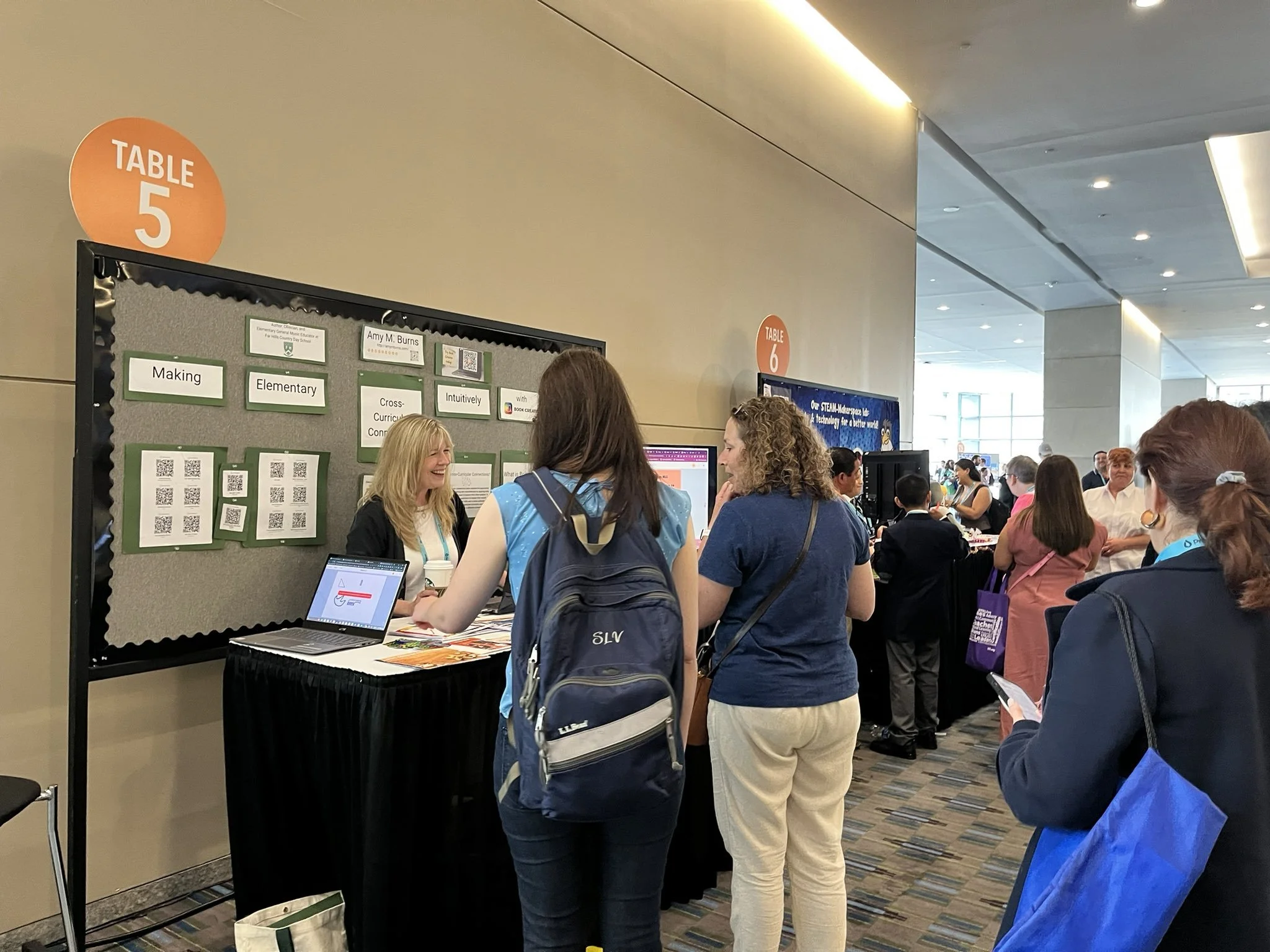
Elementary Music + Book Creator = Showcasing Cross-Curricular Connections!
Last month, I was thrilled to be able to present at the ISTE Live23 Conference in Philadelphia, PA. I presented a poster session titled “Making Elementary Cross-Curricular Connections Intuitively With Book Creator”. It was a 90-minute session that explored the following:
“Elementary special subject areas like music, STEAM, and more have numerous cross-curricular connections. However, showcasing those connections to administrators and parents can be challenging. Book Creator gives educators ways to achieve cross-curricular connections and allows students to use multiple modalities to showcase their work.”
Check out the webinar and the blog post. Like my resources? Please consider buying me a coffee at https://www.buymeacoffee.com/elmusedtech.
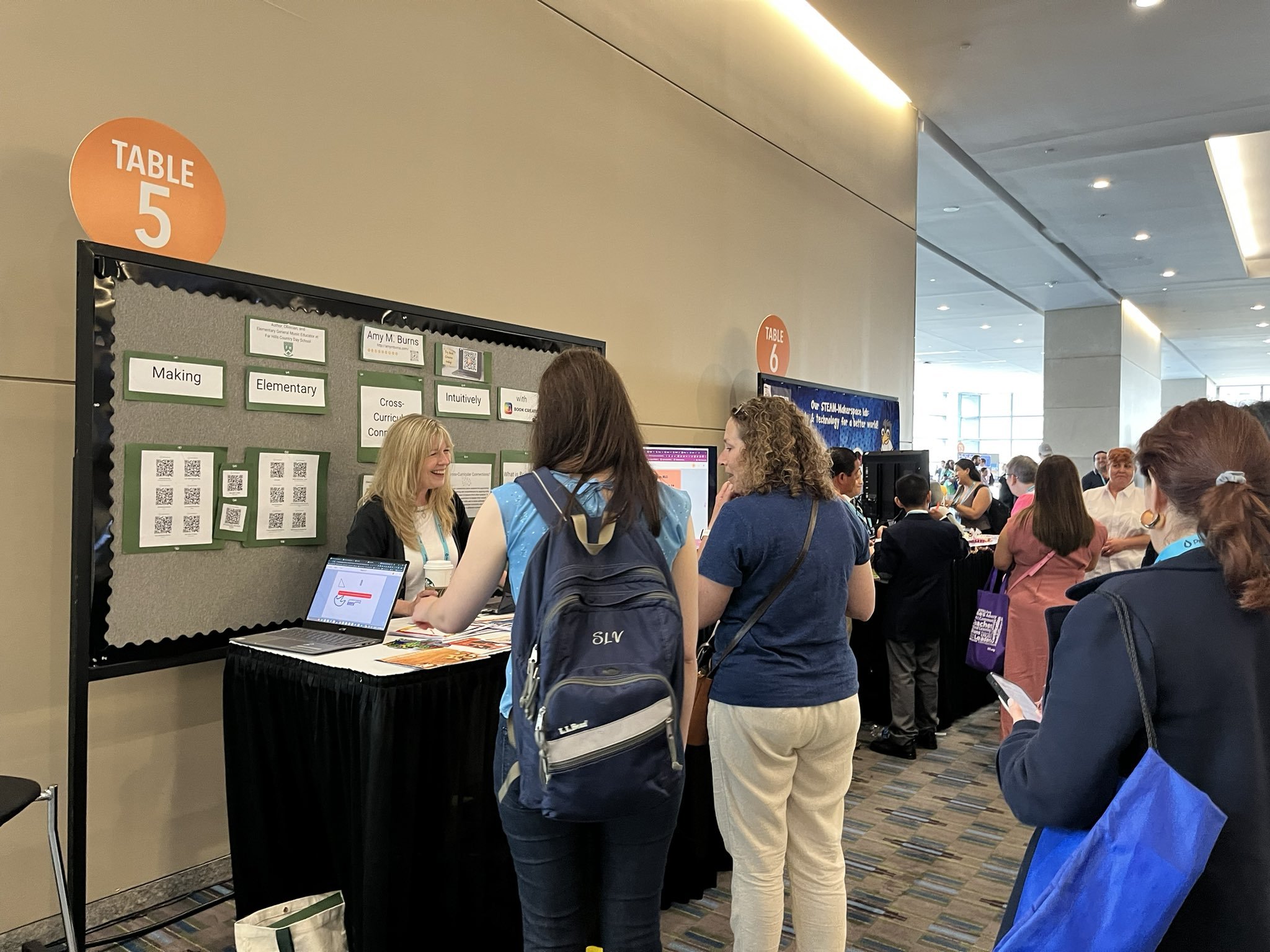
Last month, I was thrilled to be able to present at the ISTE Live23 Conference in Philadelphia, PA. I presented a poster session titled “Making Elementary Cross-Curricular Connections Intuitively With Book Creator”. It was a 90-minute session that explored the following:
“Elementary special subject areas like music, STEAM, and more have numerous cross-curricular connections. However, showcasing those connections to administrators and parents can be challenging. Book Creator gives educators ways to achieve cross-curricular connections and allows students to use multiple modalities to showcase their work.”


What is Book Creator?
Book Creator is an innovative digital tool that empowers both educators and students to unleash their creativity and bring their ideas to life. Starting as an iOS app, Book Creator exploded into a web-based app that gave students the opportunity to showcase, create, design, and publish their own interactive ebooks. Its intuitive interface allows for easy customization of texts, images, audio, and video, enabling a truly multimedia experience.
How do Students use Book Creator?

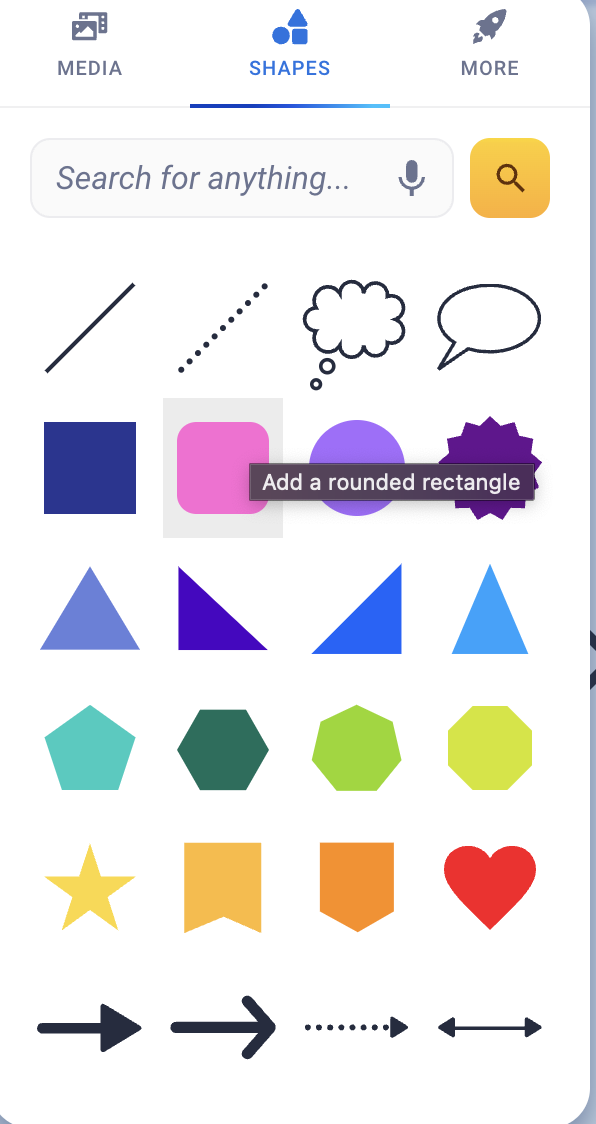

Book Creator is very intuitive. In this quick tutorial, my students are able to learn how to use the tools and then they quickly take off with their creativity as I give them some guidelines to complete.
Tools
There are wonderful tools that give your students numerous opportunities to create. Let’s begin with the Media Tools:
Images 🔎🏞️- Students can use Book Creator’s image search tools powered by Pixabay with filters to pick age-appropriate images to add with citations, or they can upload files from their devices (like images, audio files, video files, etc) to their ebooks.
Camera 📷- They can use their device’s camera tool to take pictures or videos to add to the pages.
Pen ✐- Use the pen tool to draw. There are plenty of colors from solid to patterns to glitter. There are also stamps and the wonderful auto tool that will give you the opportunity to draw something imitating anything and it will translate that and give you options to enter what you would like that drawing to be.
Text 💬- The text tool gives students multiple ways to enter text from typing to recording themselves and allowing the AI tool to interpret their voice to text. Or your students could use the drawing tool to write on the page.
Record 🎤- Students can record themselves singing or reading the works on the page, as two examples of how to use the audio recording tool. Multiple recordings can be inserted onto one page.
Shapes and More…
The Shapes Tool 🟣🟦🔺 gives your students the opportunity to add various shapes, speech bubbles, or even a trumpet (as seen below in the video) by inputting the shape you are trying to add, onto the page.

Apps for Book Creator: Power up your Book Creator experience with these fantastic apps.
Keep control - you decide whether these apps are enabled just for you or can be accessed by students too.
The More Tool 🚀 connects Book Creator to various apps like Canva, Giphy, and Bitmoji, to name a few. When you connect Canva to Book Creator, you can open Canva within Book Creator to design a cover. Once created, it will be inserted into Book Creator without ever leaving the app. Currently, nine apps can be connected with Book Creator, including the newest Graphic Organizers App!
Plus, you can add files with the More Tool and you can embed them into the page using iFrame codes.
Collaborate
Book Creator has a free version where you can create up to 40 books. However, the free version will not let your students collaborate together.
If you subscribe, you can have your students collaborate by using their devices and entering a library that you create with a code that you provide. For example:


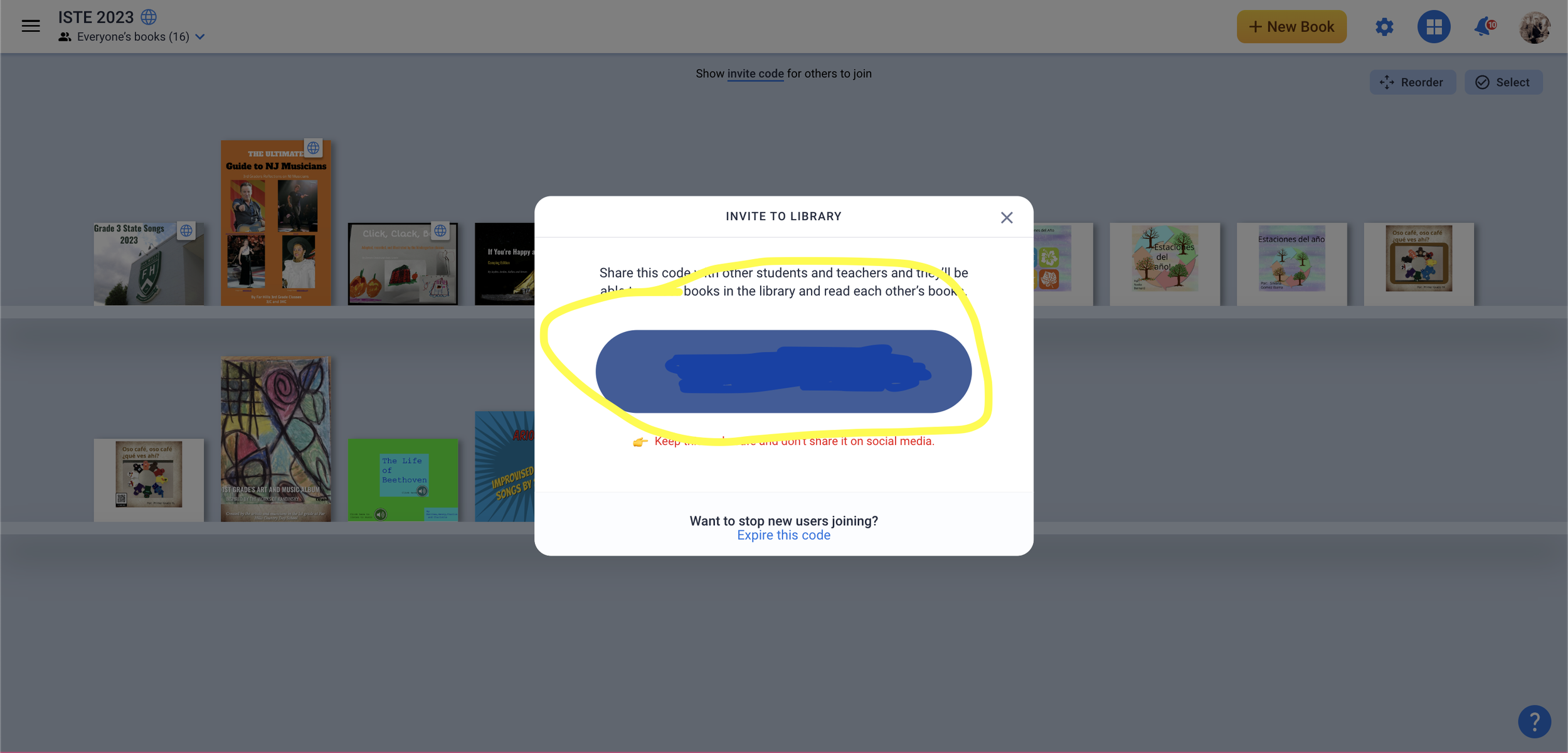


Create a library like the one I created titled ISTE Live 23.
Add books to it by moving the ones you have already created here or by clicking on “+ New Book” and starting a template. I did this with the Recorder Tips Book and then gave each student a page to create with guidelines, such as they could not show their faces. They then created the ebook together.
Once the ebook is created that you want your students to join, click on the three dots on the bottom right-hand side, click on “Share”, click on “Collaborate”, and then click on “Start Collaboration.”
An icon is added to the upper right-hand side of the ebook to let you and your students know that they can edit it together.
To have them join your library, have them go to https://app.bookcreator.com/sign-in and they can sign in using their Google Accounts, Clever, Microsoft, or a QR Code.
Tip: If your students do not have email addresses, create a QR code by going to your account profile at the top right-hand corner of the page, clicking on it, and scrolling down to Student Logins. This will let you add students and create QR codes or links for them to join the library and edit the ebook.
Once they have logged in, they will need the code to join the ISTE 23 Live Library. They click on the three horizontal lines (the hamburger) and they click on “Join a Library”. The code you can give them is at the top of the screen. When they enter the code, they can now find the editable book in the library.
Tip: If you feel that your students would have challenges trying to collaborate together, then have them create their own books and when completed, you can merge them together.

Why Elementary Music and Book Creator?
If you teach elementary general music, you have probably experienced a time during the school year when your curriculum is based around the preparation of a concert. This is a usual occurrence and one where we utilize concert preparation to achieve our national music and core arts standards. This is also what families and caregivers see most often with the arts as most of the student’s cumulative works are produced on stage or in concert form.
However, I have always taught with the approach that music is not a stand-alone subject. It is not isolated in the music room or auditorium. Music is all-encompassing. With each lesson, music educators help students experience and realize how history, language, reading, writing, creativity, mathematics, science, physical education, art, technology, and more, are all connected in music class. With that said, how does a music educator go about showcasing this when concerts and productions are what is focused on in their subject?
This is where Book Creator is one tool that helps me bring our music curriculum and all of its cross-curricular connections to the families’ smartphones. In the following examples, I have had the students use Book Creator for retrieval practice, showcasing what they learned in other subjects and how that enhanced their music creativity, their writing skills, their rhyming skills, and exploring a wonderful connection between music and art.
Retrieval Practice
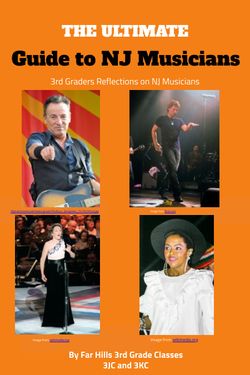
Each year, my third-grade students study our home state as a part of the state’s standards. When they study this, we research and learn about four musicians who were born in our state. In this ebook, the students and I created a Fast Facts about each musician as a part of their retrieval practice of what they learned. They collected their facts using a Thinking Circle Map and then decided on the pictures to use with the Media Tools. Finally, we chose a specific template provided by Book Creator as it lent itself to how we wanted to publish our book.
Showcasing What They Learned in Other Subjects and How That Enhanced Their Music Creativity
The third-grade musicians expanded this cross-curricular connection as the students were assigned a state that they studied individually and presented to an audience on a specific day. As they were researching their assigned state, in music class, they took those facts and used Flat.io EDU to create an 8-measure melody. They were able to use the notes that they could read and perform on their recorders. Flat EDU is also a very intuitive web-based notation program that I use with my students from second grade and up. I can create a template and guidelines of rhythms and notes that they can use for their melodies and share it as an assignment through the learning management system like Google Classroom, or create a classroom within Flat and share their links through their Seesaw Learning Journals.
The student musicians composed their melodies, added lyrics based on what they researched about their states, and then we shared it with Soundtrap EDU (a web-based digital audio workstation-DAW) so that they could add instruments that could enhance their music.
Writing Skills
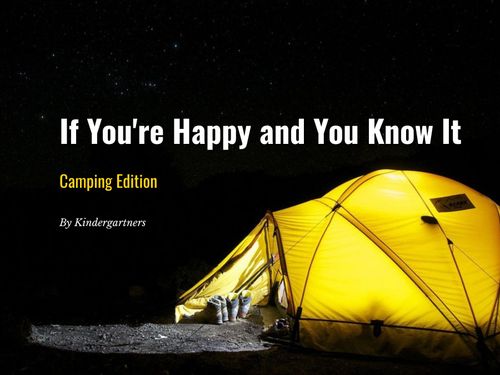
The kindergarten musicians created a book inspired by If You’re Happy and You Know It by James Warhola. The students illustrated and wrote the book. In this example, they did this by using paper and markers. We then took pictures of their work and added them to each page. However, this also could have been done using the drawing tools in Book Creator.
Rhyming Skills
In this example, the preschool musicians created new verses to the traditional children’s song, “Down By The Bay”. They then illustrated their new rhyming words. We then took pictures of their illustrations and added them to Book Creator (but you could have them use the drawing tool). I had each student come up to my device and I used the record tool to have them sing their new verse. The ebook came out beautifully!

Music and Art
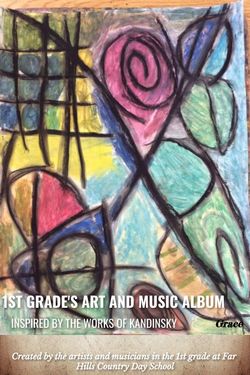
My art colleague and I collaborated together to have the student musicians and artists learn about the life of the Russian painter, Wassily Kandinsky. In music class, we read The Noisy Paintbox by Barb Rosenstock. I videoed myself reading it and added music to the book that was inspired by Kandinsky’s love for music. In art class, they studied his paintings and then created paintings inspired by his artistic style. When they returned to music with their paintings, we took pictures of them to add to our ebook using the camera tool in Book Creator.
The student musicians then used the Kandinsky app found in Chrome Music Lab to recreate their artwork. From there, they continued to create music using the app and I videoed the process. We added the videos to their ebook using the image tool in Book Creator or the More tool>Files.
Sharing


To share their ebooks so that families and caregivers can view them, you can do this by clicking on the three dots at the bottom right-hand side of the book, scrolling to Share, and then you will find a few options.
Print 🖨️ You can print the book, but anything that is interactive will not translate to a printed copy of the book.
Download ⬇️ You can download it as an ebook. This will download as an epub file. The format can be opened on all major eBook software including readers, third-party software, and browsers. Some of these include the Google Play Books app (available for iOS and Android devices), Apple's iBooks app (available for Mac and iOS devices), and Adobe Digital Editions, among other applications.
Publish Online 🌐 This is the most popular option because you will be able to share it intuitively on most devices. When you publish it online, Book Creator will give you a link so that anyone can access it. The book is interactive so the videos, links, audio files, etc., will work like they do in the app. You can make the link public or private. If it is public, it will appear in Google searches. You can also allow remixes of your book where readers can download the book and edit it for their own reuse. If you edit the book after it is published, the edits will appear in the published book. When you want to stop publishing the book, just click on the 🌐 symbol on the book and click on “Stop publishing”. Finally, you can decide if you want your students to publish online when you set up a library.
iOS version ⎚ This is very similar to the web-based version with some differences. In Book Creator for iPad, only teachers can publish, and it is limited to 10 books published online at once. You cannot make books remixable and at the moment you can only publish privately.

Check out Book Creator today! You can use the free version to create 40 books in one library. You cannot have your students collaborate together, but your students can access the tools, app smash, publish online, and so much more. It would be a great way to experience the app and see if it would be something the school would pay for you to use in your classroom.
Stay Tuned!

Credit: Unsplash
I am officially on summer break which means check back here and on my YouTube channel weekly. I will have videos that will involve tech tips, play-along videos, or move-along videos, peaks into MusicFirst Elementary, updates about Midnight Music Community, and more!
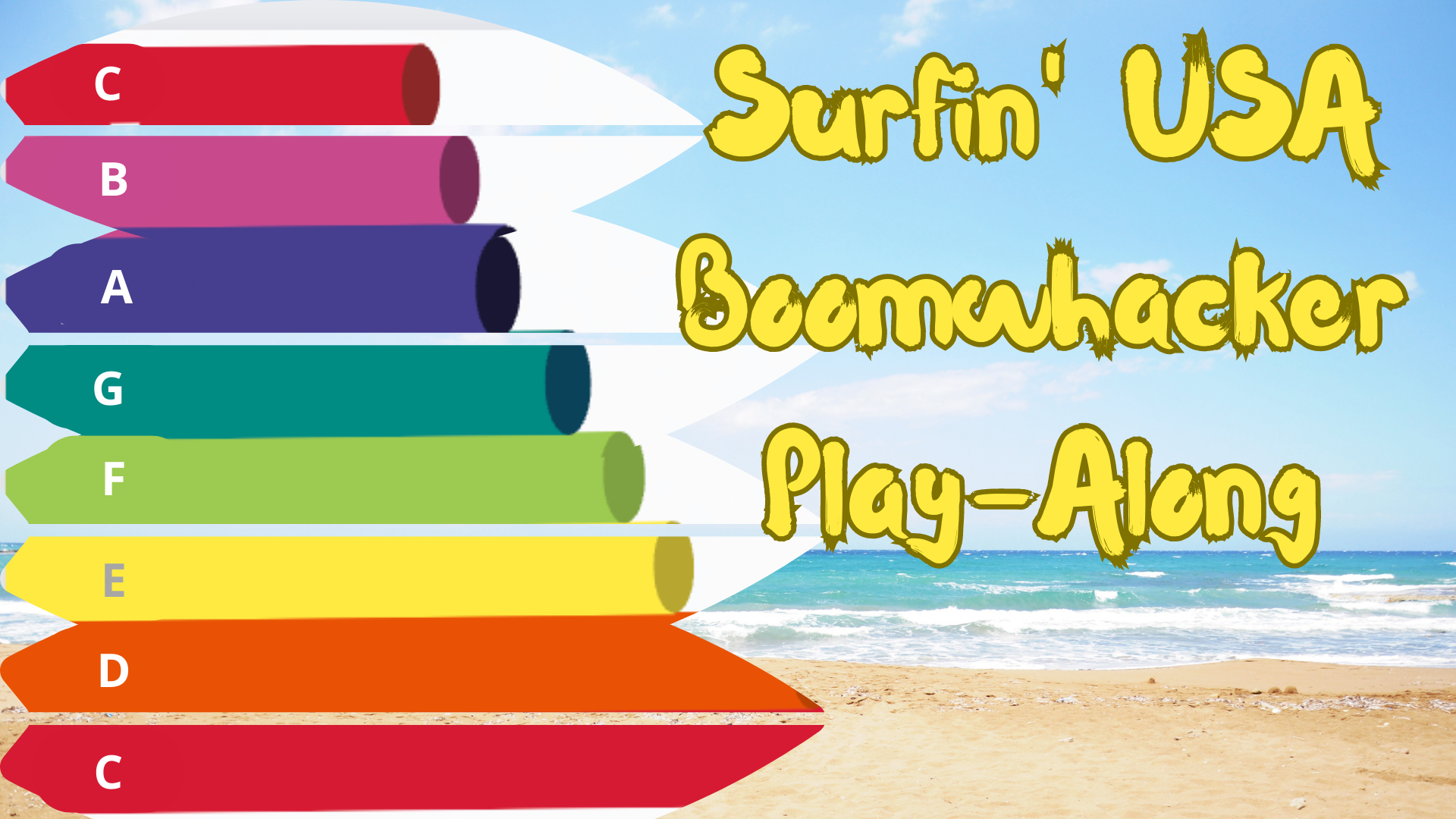
Summer Music Camp Part 2: Surfin' USA Boomwhacker Play-Along
If you are coming to summer break or a holiday break where warm weather might be involved, this play-along will bring your students to break in a fun and educational way. Plus, it celebrates Beach Boy Brian Wilson's birthday on June 20. This is an intuitive play-along for elementary students to perform successfully. The blog post also contains interesting facts and resources to learn more about the artist. #students #artist #elementaryteacher #elmused #elementarymusic

Source: Unsplash
In honor of Brian Wilson’s birthday on June 20, I created this boomwhacker play-along video that contains three chords: C, F, and G. In the middle of the song, there is an opportunity to perform a roll with the boomwhackers. This can be done by playing the boomwhacker on the ground very quickly or placing the boomwhacker inside a triangle and then shaking the boomwhacker. Following that section is a “Surfin’ Dance Party” where you and your students improvise dance moves. I hope that you and your students enjoy this play-along video!
Who is Brian Wilson?
Brian Wilson is one of the co-founders of the group, The Beach Boys. Some interesting facts about him are:
Brian is partially deaf in his right ear for reasons unknown.
Brian taught himself how to harmonize vocals, which led him to teach his family members. He also taught himself how to overdub using a reel-to-reel tape recorder.
Though surf music was not to his liking, “in the estimation of biographer Timothy White, Wilson instead aspired for a "new plateau midway between Gershwin and the best Four Freshmen material".”
His two daughters, Carnie and Wendy, went on to form two-thirds of the group, Wilson Phillips, which had several hits in the 1990s.
To learn more about his life, Kiddle has a great page about him found here.
Stay tuned this summer as I will continue to provide weekly webisodes on my YouTube Channel including tech tips, play-along videos, and more!
Resources:
Eames, T. (2022, March 9). Brian Wilson facts: Beach boys singer’s age, wife, children and career revealed. Smooth. https://www.smoothradio.com/artists/beach-boys/brian-wilson-facts-age-wife-children-health-young/
Brian Wilson facts for kids. Brian Wilson Facts for Kids. (n.d.). https://kids.kiddle.co/Brian_Wilson
Summer Music Camp Part 1: Ukulele Play-Along Video with Two Chords
It is officially summer break and school has ended. For the next week, I am working at our school’s summer camp, which is a very nice camp for elementary grade-level students. For the last two years, I have had a small informance for the parents and caregivers. This year, I am going to have them all culminate with a recorded informance of Eric Litwan’s book, Pete the Cat and His Four Groovy Buttons. I will have my oldest elementary students perform the song on drums, boomwhackers, xylophones, ukuleles, and classroom instruments. My middle-aged elementary students will act out the book. And my youngest elementary students will perform the sound effects. I am looking forward to seeing this come to fruition!

Image by Unsplash
It is officially summer break and school has ended. For the next week, I am working at our school’s summer camp, which is a very nice camp for elementary grade-level students. The camp includes some reading elements, some writing workshops, and some arts elements. We also include time for exploration and play that can include arts and crafts, exploring our campus, and water exploration.
For the last two years, I have had a small informance for the parents and caregivers. The informance varied and included a culmination of their reading, writing, and music classes. We have presented ebooks of new verses to Down By The Bay that they would sing while the book was displayed on the screen. We also learned to play songs on various instruments and performed them on the final day. We have also acted out stories and added music to them, such as "We’re Going on a Bear Hunt by Michael Rosen.
In years past, I had separate informances for each grade level. This year, I am going to have them all culminate with a recorded informance of Eric Litwin’s book, Pete the Cat and His Four Groovy Buttons. I will have my oldest elementary students perform the song on drums, boomwhackers, xylophones, ukuleles, and classroom instruments. My middle-aged elementary students will act out the book. And my youngest elementary students will perform the sound effects. I am looking forward to seeing this come to fruition!
Pete the Cat Ukulele Play-Along
In order to accomplish this, I created a ukulele play-along video to help the students learn the chords. From using the Buttercup Storytime video, I changed the key of the song to make it more user-friendly to accompany with the ukulele. The images of the ukulele chords come from Ukulele Buddy.
Part 2 with the Boomwhacker Play-along of Surfin’ USA by The Beach Boys coming soon!
Stay tuned this summer as I will continue to provide weekly webisodes on my YouTube Channel including tech tips, play-along videos, and more!
Female Solo Singers Body Percussion Play-Along
Earlier this week I shared the Rhythm Play-Along version of the medley including excerpts from female solo singers dating 1967-1990. They include Cyndi Lauper, Madonna, Dolly Parton, Aretha Franklin, and Whitney Houston. This week, I include the body percussion version and the manipulatives to complement both videos.
Like my resources? Please consider buying me a coffee at https://www.buymeacoffee.com/elmusedtech

Earlier this week I shared the Rhythm Play-Along version of the medley including excerpts from female solo singers dating 1967-1990. They include Cyndi Lauper, Madonna, Dolly Parton, Aretha Franklin, and Whitney Houston. This week, I include the body percussion version and the manipulatives to complement both videos.
Body Percussion Play-Along
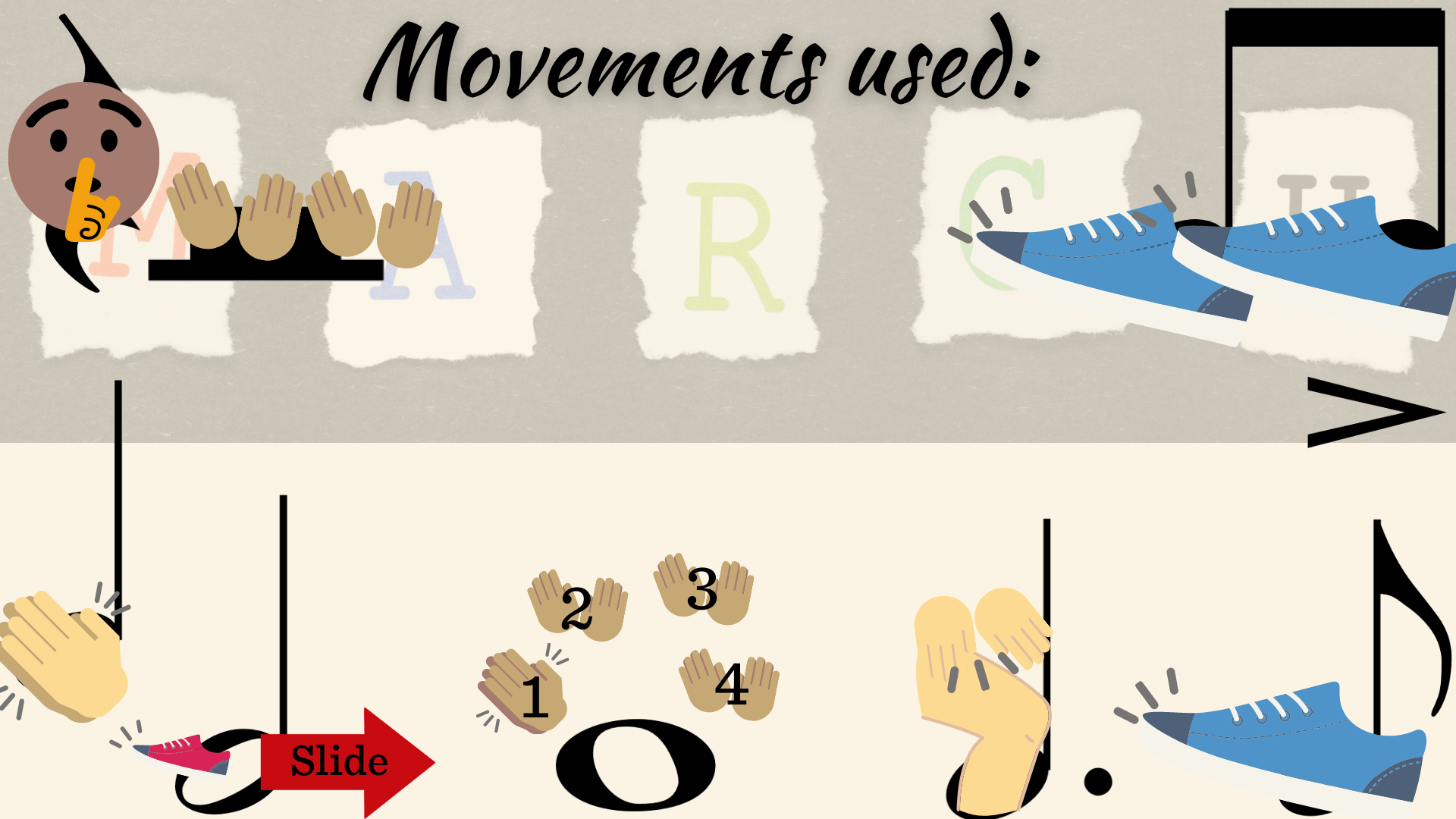
The body percussion play-along includes the following rhythms with motions:
Quarter rest - “shh”
Half rest - wave hands up in the air two times
Quarter note or crotchet - clap
Half note or minim - step and slide
Whole note or semibreve - clap on beat one and then have your hands create a circle for beats two, three, and four
Dotted quarter note followed by an eighth note - tap and slide your hand on your lap for the dotted quarter note and a stomp for the eighth note
Two eighth notes or quavers - two stamps


Manipulatives
I have created this google slide show with the visuals. You can use these visuals to help learn the rhythms or the body percussion. It also includes “Fast Facts” of the five female singers taken from Kiddle. The link below gives you a forced copy so that you can edit it as you would like.
Female Solo Singers Body Percussion and Rhythm Play-Along Manipulatives
Enjoy these play-alongs!
Great First Day at TMEA: TI:ME National Conference
Day 1 of TMEA: TI:ME National Music Technology/Education Conference. Click here to read about tow highlighted sessions from the day.

The Texas Music Educators Association started its annual music education conference today with the Technology in Music Education (TI:ME) National Conference. TI:ME was started in 1995 and was founded by John Dunphy, Tom Rudolph, and Floyd Richmond. The organization received funding from NAMM to provide assistance to music educators with integrating technology into their classrooms. The early years involved music notation. Nowadays, it includes everything from digital audio workstations to the integration of technology into the current music curriculum.
The TI:ME National Conference is a subset of the Texas Music Educators Association (TMEA) Annual Conference, which focuses specifically on the use of technology in music education. This conference provides music educators with an opportunity to explore new technologies, software, and hardware that can enhance music education in the classroom and beyond.
At the Technology in Music Education National Conference, attendees can participate in sessions and workshops led by experts in the field of music education technology. These sessions cover a range of topics, including the use of digital audio workstations, music notation software, and mobile devices for music education. Attendees can also see demonstrations of new and innovative technology products and services and learn about the latest trends and developments in the field.
Since I arrived later in the day, I wanted to highlight two sessions.
Using Social Media to Recruit and Advocate for Your Program
Brady McNeil did a great job showcasing tools to help music educators use social media effectively to advocate for their program. The five tips he gave were:
Let philosophy drive the content.
More engagement = stronger opportunity for influence.
Photo Composition
Rule of Thirds - eyes are driven to images divided into three.
Cropping
There are different sizes for cropping in various social media and that should be taken into consideration when you crop a photo to post.
Pixel sizes
Similar to cropping as different platforms require different pixel recommendations.
png files are better in pixelation than jpg files.
Establish (follow) your brand.
Create a brand or use the school colors so that your posts have consistency.
A couple of suggested tools to help you with this:
Chrome Color Picker Tool - gives you the eye dropper to select the color and hex code of anything on the screen.
Planoly shows what your picture will look like on a social media platform.
How Can I Create Play-Along Videos with Mostly Free Tools?
This was my session where I showed how to create a play-along video with free tools in two ways:
Using Canva, Katie Wardrobe’s Big Free Music Notation File, a song, a presentation tool like Keynote or Powerpoint, and a screen recording tool like Loom.
Using Canva, Katie Wardrobe’s Big Free Music Notation File, a song, a presentation tool like Keynote or Powerpoint, and a free video editing tool like Microsoft’s Clipchamp.
I showed them how to create this play-along video for Valentine’s Day from the song, That Thing You Do by Adam Schlesinger.
Go to https://wakelet.com/wake/CXbugb01E9PCIEeJlYEXc to find the resources used in this session!
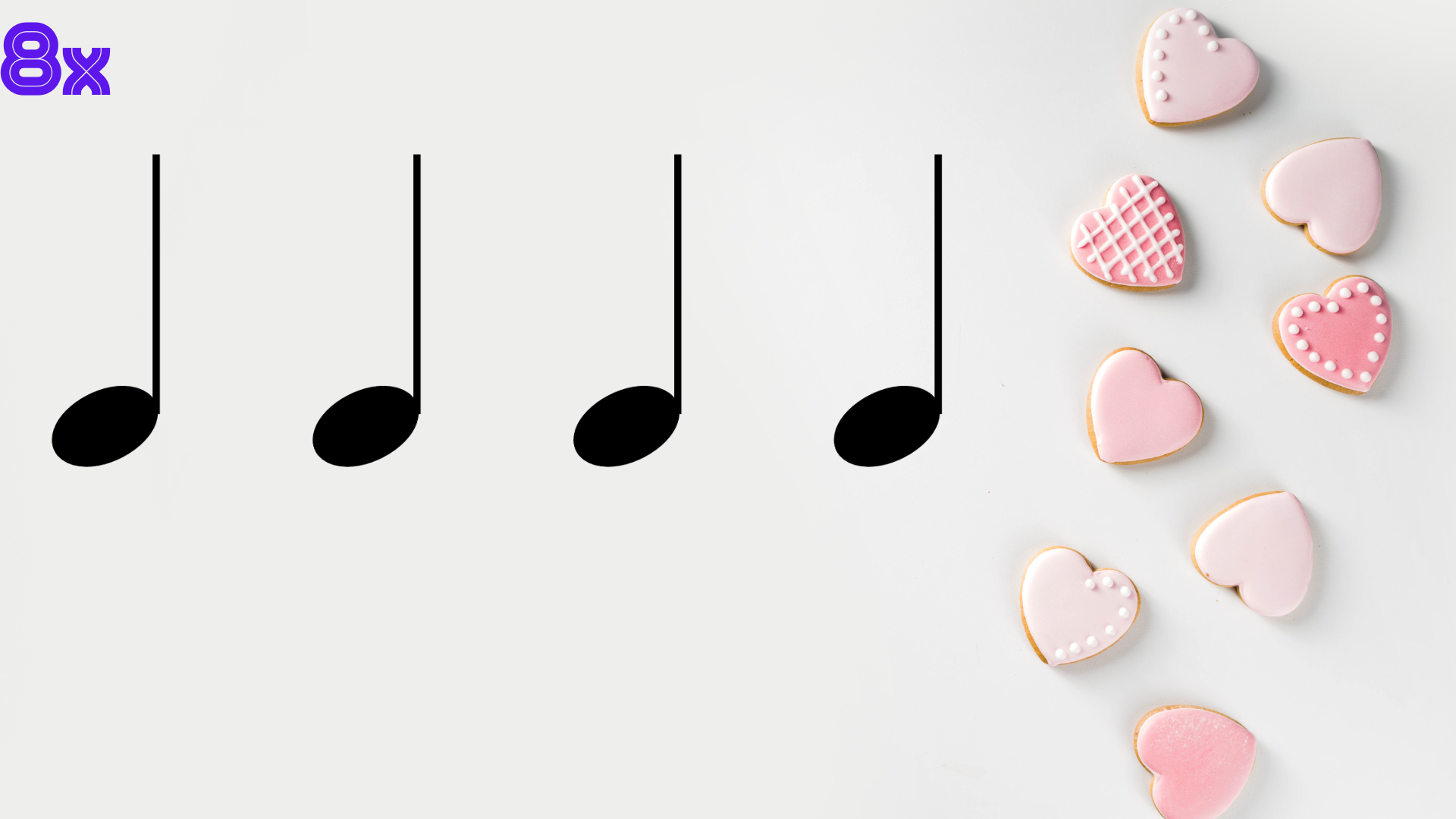
A Simple Rhythm Play-Along For Valentine's Day and TMEA!
New! Valentine’s Rhythm Play-Along Video to That Thing You Do! Here is a fun, simple rhythm play-along video to the song, That Thing You Do, written by Adam Schlesinger. The song is performed by the fictional 1960s band The Wonders, who are the focus of the film with the same title. The song peaked at No. 41 on the Billboard Hot 100 and was nominated for an Academy Award and a Golden Globe Award for Best Original Song in 1997. The note values that are covered are quarter, eighth, and half notes, as well as quarter rests. It also includes a dance party in the middle of the song. This song will be featured in my TMEA/TI:ME session tomorrow where you can see how to create the video in two different ways using free tools! Have fun with this!
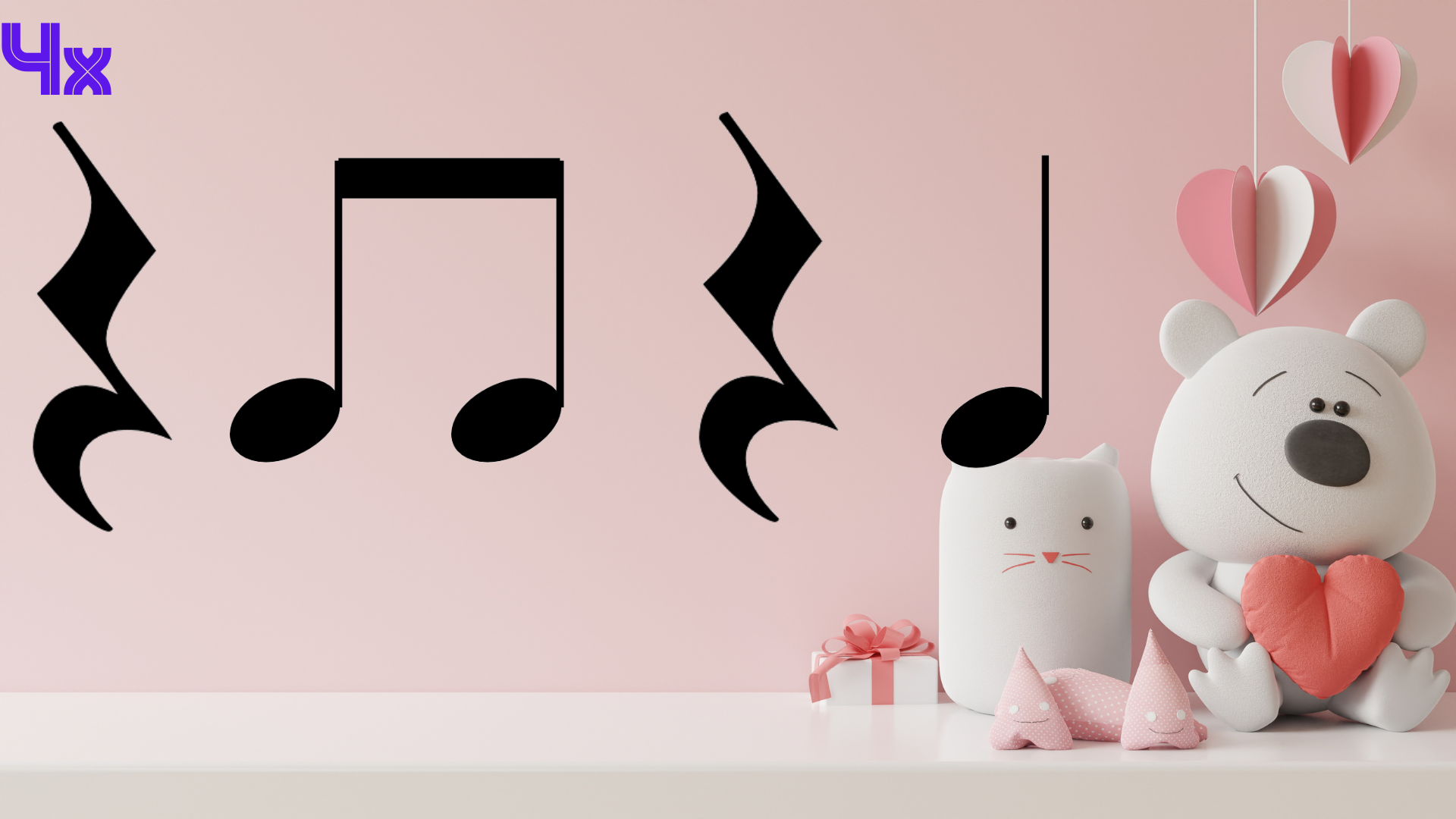
Tomorrow begins the annual TMEA/TI:ME (Technology in Music Education) National Conference. Held annually in San Antonio, Texas, this conference is the home to over 25,000 music educators, merchants, admin, clinicians, and more, for the span of four days. This conference is exciting. You can find sessions on mostly any topic in music education. You can also meet many of the gurus in music education like Denise Gagne. You can also attend the pre-conference where TI:ME holds its annual National Conference and brings in the best music technology and music education presenters from around the world.
Join me as I will blog daily and possibly, live podcast from the event. I look forward to seeing many of my music education friends that I have met over the past 25+ years. Katie Wardrobe from Midnight Music, based in Australia will be presenting, as well as fellow NJ music educator, Shawna Longo. TI:ME will celebrate their TI:ME Mike Kovins Teacher of the Year recipient, Heath Jones! This award has a special place in my heart as I have been a member of the TI:ME organization for years, and served as President over a decade ago. I was also the first recipient of the award in 2005. TI:ME has been around for over 30 years and has assisted music educators with integrating technology into their classrooms when the technology was only one computer with very complicated notation programs.
Join Me in TMEA!
My three sessions are:
How Can I Create Play-Along Videos with Mostly Free Tools? CC 214B Wednesday 3:00
Play-along videos have become popular because they can be used for meeting performance standards, for retrieval practice, and at times, just as fun musical activities before a break. But how can one be made so that it blends into your curriculum, using mostly free tools? Burns will show you how to create them so that they meet your curriculum.
Go to https://wakelet.com/wake/CXbugb01E9PCIEeJlYEXc to find the resources used in this session!
Help! Preschool and Kindergarten Have Been Added to My Schedule! Friday 8:30 am Grand Hyatt 4th Floor Texas DEF
If early childhood, PreK, and kindergarten music are on your schedule and you aren't confident with teaching at that level, this clinic is for you! Burns will share some of her activities, resources, and lessons she has used with her PreK students for the past 25 years.
Go to https://wakelet.com/wake/mLb0agEgETb4N7ROdHkwt to find the links to the routines, resources, activities, props, and tech tools.
Free Tech Resources for the Elementary General Music Teacher Saturday, 8:30 am CC212
This session will give elementary music educators numerous resources that they can immediately use in their classrooms. It will also leave with lesson ideas and student examples created from the free resources. Finally, there will also be resources that have free, limited access.
Go to https://wakelet.com/wake/qElej4Tm6D-MUCLmMx4Wu to follow along with the presentation.
New! Valentine’s Rhythm Play-Along Video to That Thing You Do!
Here is a fun, simple rhythm play-along video to the song, That Thing You Do, written by Adam Schlesinger. The song is performed by the fictional 1960s band The Wonders, who are the focus of the film with the same title. The song peaked at No. 41 on the Billboard Hot 100 and was nominated for an Academy Award and a Golden Globe Award for Best Original Song in 1997.
This song and play-along video will be featured in my session tomorrow where you can see how to create the video in two different ways using free tools!

Valentine Rhythm Play-Along Throwback Medley
Need a fun Valentine Medley Rhythm Play-Along with the teaching manipulatives? Check this out! If you enjoy my resources, please consider buying me a coffee at https://www.buymeacoffee.com/elmusedtech

Credit: unsplash-image-N8MDgWvUW-8.jpg
Updated February 2023
February has a lot of celebrations that can be explored and studied in elementary music class. The Lunar New Year sometimes begins in February, but this year, the year of the Rabbit, started on January 22, 2023. In my classroom, we will explore various songs, instruments, and books that celebrate the Lunar New Year. February 2 is Groundhog’s Day when my students look forward to finding out if we will have six more weeks of winter. In music class, we might write a short poem about the day and orchestrate our classroom instruments to enhance the poem.
February is also Black History Month where we can study numerous black musicians such as Ella Fitzgerald, Stevie Wonder, Ella Jenkins, Mahalia Jackson, James Brown, and so many more. However, in my classroom, I try to celebrate all musicians all year long and try to steer away from only celebrating black musicians in February, women musicians in March, etc. One way I do this is to begin each class by celebrating musicians’ birthdays that occur that week. I use https://www.onthisday.com/music/. This site has been a wonderful resource that updates often.
February can also be known for hosting the extra day of a leap year. And finally, Valentine’s Day can be celebrated on or around the 14th with songs, instruments, movement, and rhythm play-alongs.
Play-Along

This rhythm play-along is a medley of five fun, Valentine-like songs dating from 1963-1996. The rhythms involved are quarter notes, half notes, eighth notes, and quarter and half rests. The play-along ends with a dance break.
I was originally going to make the songs date from 1963 to 1976, but one of the original songs I chose was blocked by YouTube copyright policy. Therefore, I replaced it with a very similar song, That Thing You Do! This song was written by Adam Schlesinger for the movie, That Thing You Do! The artists that recorded the song are listed as The Wonders, but that was a fictional group created for the movie, and the only artists I could find listed for this song were Adam and Mike Viola. Adam unfortunately passed away in April of 2020 due to covid.
Medley

Garrett, L., Hardaway, L. M., Wonder, S., Wright, S. (1970). Signed, Sealed, Delivered I'm Yours. [Recorded by S. Wonder]. On Signed, Sealed & Delivered [Audio File]. Retrieved from https://www.youtube.com/watch?v=6To0fvX_wFA
Morrison, V. (1967). Brown Eyed Girl. On Blowin' Your Mind [Audio File]. Retrieved from https://www.youtube.com/watch?v=UfmkgQRmmeE
Schlesinger, A. (1996). That Thing You Do! [Recorded by The Wonders]. On That Thing You Do! [Audio File]. Retrieved from https://www.youtube.com/watch?v=BJn-Jl2ZeQU
d'Abo, M. Macaulay, T. (1968). Build Me Up Buttercup. [Recorded by The Foundations]. On Baby Now That I've Found You [Audio File]. Retrieved from https://www.youtube.com/watch?v=KbfJM7eMnBM
Anderson, S., Andersson, B., Ulvaeus, B. (1976). Dancing Queen. [Recorded by ABBA]. On Arrival [Audio File]. Retrieved from https://www.youtube.com/watch?v=P5AqvKYYQEE
Manipulatives
This year, I am including the teaching manipulatives so you can use them in your classroom.
Here is a Google Slide Presentation with the rhythm slides. You can use these to:
Teach them to the students.
Use https://wheelofnames.com/ to have the wheel randomly choose students to perform the rhythm patterns as you assess them.
Review the rhythms before you perform the play-along activity.
Print them out (black and white is suggested if you are using your own printer) and hand them to the students so they only play the pattern that is in front of them.
https://docs.google.com/presentation/u/1/d/1i4dYsEJswxUtzVKAJCRGmg7-S3W6GjJQE25GxLpo1kI/copy
Enjoy the play-along and if you like using my resources, please consider buying me a coffee at https://www.buymeacoffee.com/elmusedtech.
https://www.buymeacoffee.com/elmusedtech.