Have You Checked Out MusicFirst Elementary?
Have you checked out MusicFirst Elementary Powered by Charanga? Check it out here!

Try it for 30 days: https://www.musicfirst.com/software/musicfirst-elementary
Last May, I joined the wonderful team at MusicFirst as their Elementary Music Consultant. They introduced me to Charanga, which is a music education curriculum based in the UK, but used in various countries as well, that supports music educators in teaching music with technology. The curriculum has a spiraled, scope-and-sequence approach, that encourages making music, performing music with voices, classroom instruments, and band and orchestral instruments, creating music, and integrating all subjects into the music classroom from history to science. It is a curriculum that has technology enhancing the teaching going on in the classroom and keeping the students actively “doing music” and not passively watching a screen.
MusicFirst Elementary (MFE) Powered by Charanga is fully aligned with the National Core Arts Standards. This involved a meticulous process to ensure that each standard was approached at every grade level. Essentially, we took a product that was working very well in the UK and rewrote it to fit with our education system here in the U.S.
Grade Levels

Try it for 30 days: https://www.musicfirst.com/software/musicfirst-elementary
Every elementary general music classroom includes singing, moving to music, listening, improvising, performing on instruments, learning music theory, learning music from various countries, cultures, languages, and more, MFE encourages all of this and more. Each grade level introduces new concepts as it reinforces musical concepts taught in previous grades. It includes original and public-domain music. The song-based approach allows the students to dive deeper into the music and utilize higher-order thinking skills to thoroughly experience and learn the concepts being taught.
Instrumental Parts

Try it for 30 days: https://www.musicfirst.com/software/musicfirst-elementary
One of the items that connected with me was that many of the songs in grades 3, 4, and 5, have instrumental parts included in them. Whether it is the melody of the entire song or just a portion of the song, my students can grab their violin, saxophone, clarinet, flute, or trombone, or bring in their guitar, and perform the song that we are learning. Many of the songs have multiple levels of parts so that your beginner saxophonist and your advanced flutist are challenged. If you were trained at an institution as a vocal, concert band, modern band, wind ensemble, chamber ensemble, brass ensemble, orchestra, jazz band member, etc., and you have elementary general music on your teaching schedule, this curriculum will speak to you.
Built-In Activities

Try it for 30 days: https://www.musicfirst.com/software/musicfirst-elementary
Another component that drew me in was the activities included in the lessons. These activities encouraged improvisation, composition, and performance. The lesson plan can guide you through these activities if any of those concepts are uncomfortable to teach in an elementary music classroom. Or, if you have a great handle on teaching these concepts, then the activities enhance beautifully what you are currently teaching.
Music Creation Apps/Creative Tools
MFE has six music creation apps in the curriculum. Some are written into the lessons, especially for your older elementary students. However, these can also be used as stand-alone activities for your students.
Rhythm Grids: These can be used for decoding and practicing rhythm patterns to wonderful accompaniments.
Quickbeats: Have students create their own beats in an age-appropriate app.
Percussion Writer: Play and compose with classroom percussion.
Music Explorer: My students love composing their own melodies and adding musical accompaniments of various musical styles.
Music Notepad: A fabulous music notation program specifically designed for students up to grade 5 or 6.
YuStudio: A cloud-based digital audio workstation with scoring video included! And, it has Music Notepad built into it so your students can compose a melody, add loops, and score videos all in one program! 🤯
Since MFE has student login access, you do not need to go out of the program and use free creation tools that could gather student information. It is all included in MusicFirst Elementary.
Want to see more?
Check out these 14 videos I created that deep dive into each grade level, FAQ, customizing the lessons, and all of the creative tools.
Also, check out these resources:
Jim Frankel’s Blog Top Ten Reasons to buy MusicFirst Elementary
Profiles in Teaching with Technology with Dr. Mary Birkner & Joanna Mangona, two creators of MusicFirst Elementary
Try it for 30 days: https://www.musicfirst.com/software/musicfirst-elementary
March Music Madness: Chrome Music Lab Edition!
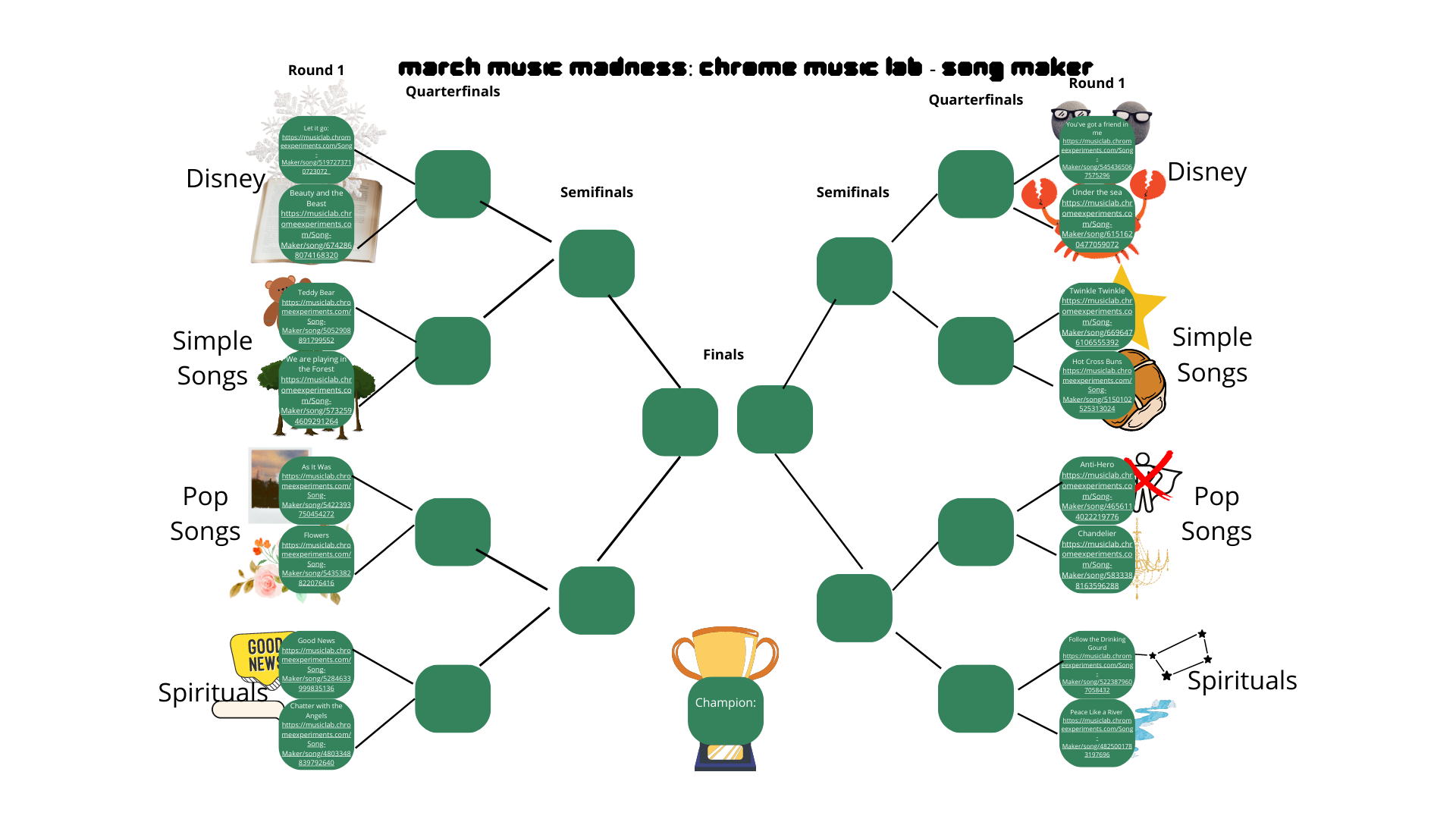
March Music Madness with a creative focus using Chrome Music Lab Song Maker. Read through the post or watch the YouTube video to see how to use or adapt this for an elementary music class across grade levels. Like my resources? Please consider buying me a coffee at https://www.buymeacoffee.com/elmusedtech

File for March Music Madness
This summary was created by the YouTube Summarized Extension.
March Music Madness Chrome Music Lab Edition!
This video by Amy M. Burns provides an overview of her idea of March Music Madness, a tradition of bringing March Madness into the music classroom.
March Madness is a term used to refer to the NCAA men's and women's college basketball tournaments held between mid-March and the beginning of April.
Burns created an interactive whiteboard using Canva to make this activity span across grade levels.
She adapted some of the melodies so students can either fix them or create something completely new.
At the end of each class, students will vote on their favorite song.
Song Maker 01:27
Burns uses Chrome Music Lab's Song Maker to create her March Music Madness tournament.
She provides instructions to her students, such as adding a drum line or countermelody to the melody, or changing the melody around.
The students don't have to save and send their links but have the option to do so.
The goal is to be creative and express themselves through music.
Canva 02:44
Burns created an interactive whiteboard using Canva to display her March Music Madness tournament.
She suggests assigning themes to different grade levels and splitting classes into two groups to work on different songs simultaneously.
The students can then vote for the song they prefer at the end of the class period.
Once the tournament is complete, the winning song will be announced.
Introduction 04:52
The video demonstrates how to use Chrome Music Lab to create and share an interactive whiteboard project.
Chrome Music Lab allows users to create different types of music, such as spirituals and pop songs, with a few clicks of the mouse.
The video explains how to share the project with others, as well as how to use the "Zoom" feature to make it easier to view the project.
Adding Drumlines 06:03
Users can add a drumline to their project by clicking on the "Drumline" button.
The drumline will be added to the project but may sound a little off due to the way it was created.
Users can add a counter melody to make the drumline sound better.
Sharing the Project 06:37
Once the project is complete, users can click the "Save" button to save their work.
They can then copy the link for the project and share it with others.
Benefits of Using Chrome Music Lab 07:19
Chrome Music Lab makes it easy for users to create music with just a few clicks of the mouse.
It also allows users to zoom in and out of the project using their trackpad or a touch screen.
The video also explains how to find the link for the project, as well as how to find the summary of the video on the YouTube Summarized Chrome extension.
Countdown to 2023-10 Tech Tools or Tips for Elementary and Middle School General Music: #08 Creatability
#8 Creatability from Google Experiments. Like my resources? Please consider buying me a coffee at https://www.buymeacoffee.com/elmusedtech
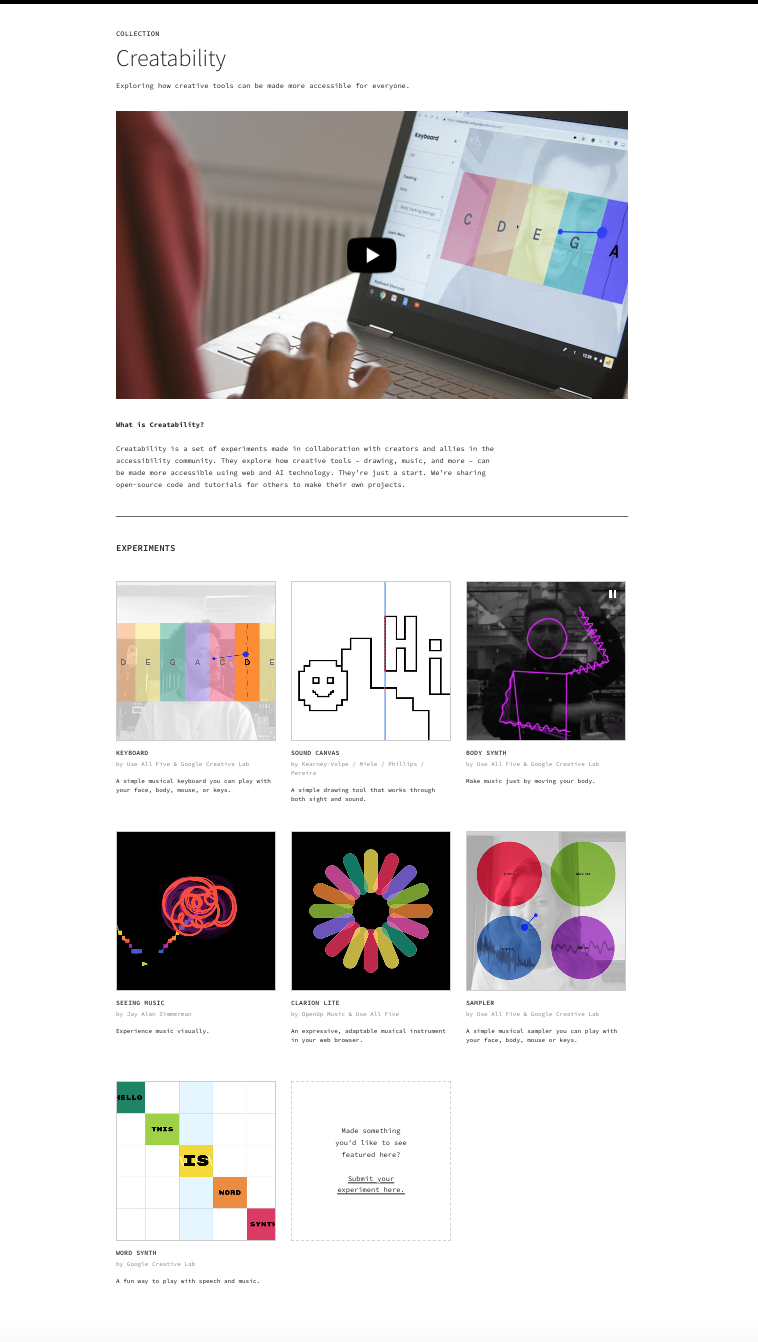
From the website: “Creatability is a set of experiments made in collaboration with creators and allies in the accessibility community. They explore how creative tools – drawing, music, and more – can be made more accessible using web and AI technology. They’re just a start. We’re sharing open-source code and tutorials for others to make their own projects.”
Use these three I show in the webisode to visualize pitch and dynamics and to give the opportunity for all of your students to make and create music.

For the past few years, I have counted down to the new year with a top ten list. I begin on 12/23 and end on 1/1. The list is comprised of 10 tech tools or tips for elementary and middle school general music. This top ten list will have a tech tool or tip featured each day in a short video and blog post. When we reach number one, I will follow it with a video of all ten tools and tips. Therefore, you can follow me daily, or come back on New Year’s Day and catch all ten at once.
WHO AM I?
If you are new to this YouTube channel or my website or my buymeacoffee site, my name is Amy M. Burns and I have been teaching and integrating technology into the elementary music classroom for over 25 years at Far Hills Country Day School, a preschool through grade 8 private school in NJ. For the past two years, I have also worked for Katie Wardrobe in her Midnight Music Community as the Community Coordinator answering questions and giving out tech tips to the community. Finally, I am an author and clinician with four publications. My recent publication titled Using Technology with Elementary Music Approaches is published by Oxford University Press and can be purchased from OUP or Amazon today.
Each week on this website and my YouTube channel I post a play-along video, resource video, or a webisode about integrating technology into the music classroom. Please subscribe and click like to the video so that you can get weekly notifications about resources you can immediately use in your classroom. I am also working on my Teachers Pay Teachers page, but currently, it holds many free items. I hope to get that going more in 2023. If you like my resources, please consider buying me a coffee at https://www.buymeacoffee.com/elmusedtech
It is Christmas Day today and this brings about a lot of cheer, thankfulness, and joy in our household. I hope that on this day, there was some joy and peace a part of it.
#8 Creatability

This is going to be a quick webisode as to get back to celebrating the holiday with the family.
What is Creatability?
From the website: “Creatability is a set of experiments made in collaboration with creators and allies in the accessibility community. They explore how creative tools – drawing, music, and more – can be made more accessible using web and AI technology. They’re just a start. We’re sharing open-source code and tutorials for others to make their own projects.”
Seeing Music
The keyboard is a great tool so that all of your students can make music. If they have a device where they move the trackpad or the mouse, they can play the virtual marimba. You can change the scales and instruments. And, the boomwhacker colors are present.
If you change the tracking into body tracking, and you allow the device’s camera to be used, you can now move the mallet with your head.
Body Synth
This experiment will access your camera so you can move your body to make music. You can change the sounds, the chords, and the sensitivity of the motion.
Both of these give all of your students access to make music. Check out the 1600+ other experiments happening at this site.
Seeing Music
I use this so the youngest of students can visualize high and low pitches, And yes, boomwhacker colors are back! You can change the visualization and bring scientific concepts into music class. Use the Waveform to also show and experiment with dynamics.
They also allow you to bring in an mp3 file of a recording you are using in class and it will show it in the visualization you are using. Finally, have the students record a simple song or melody that is under 30 seconds and this experiment will turn it into a piano roll that they can play along.
COME BACK TOMORROW FOR TECH TOOL OR TIP #7!
Check back tomorrow for tech tool or tip #7. I hope that you are on holiday break now and are finding time to relax and rest!
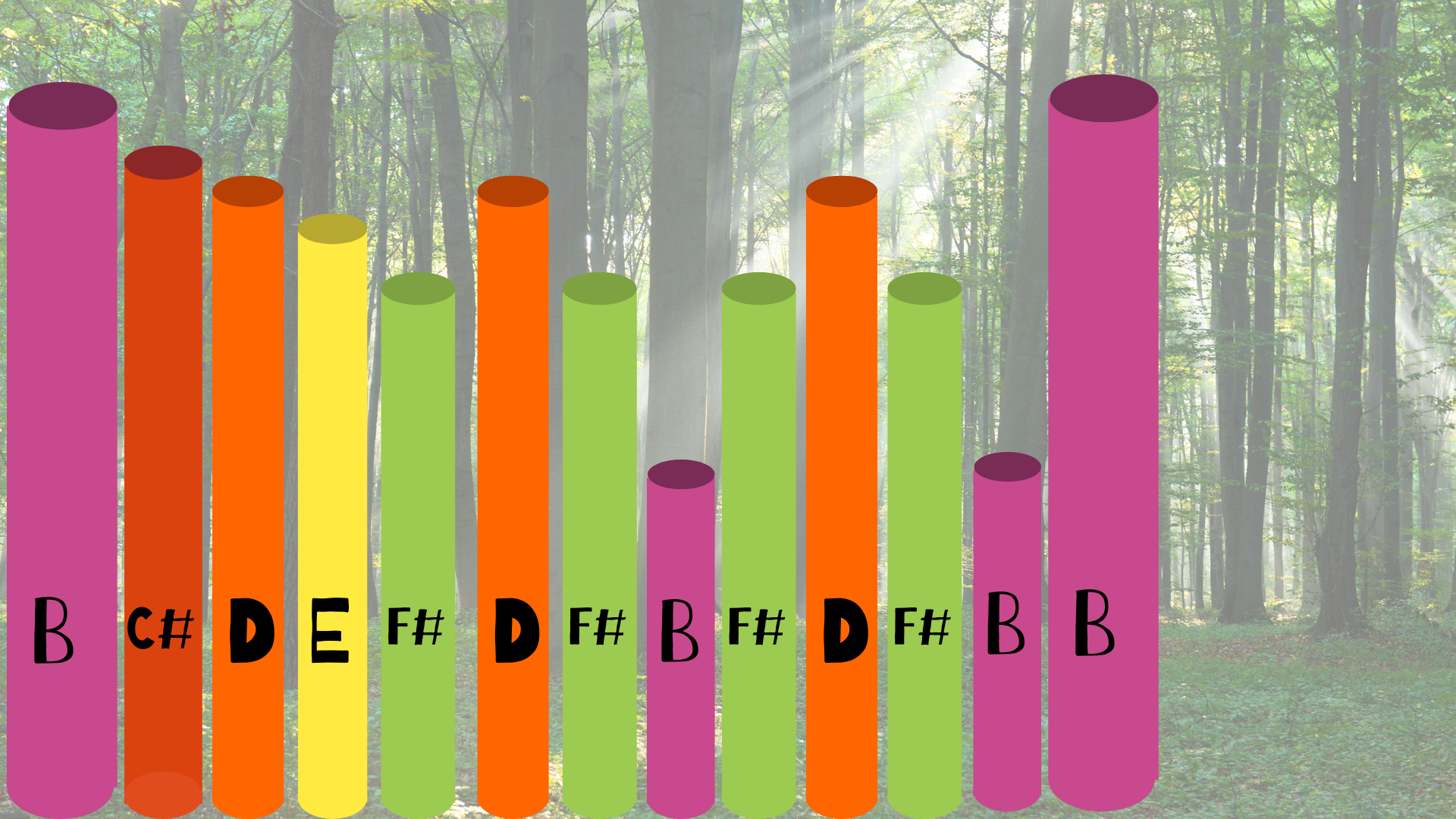
Zoomerang app to create boomwhacker videos
What happens when you can use Zoomerang to create quick boomwhacker snippets? Currently, a work-in-progress, hopefully by the end of the week, I will find out!

I have always been in awe of The Chromatic Music Teacher, who has these great videos of her playing the boomwhackers along with the music. My daughter Sarah found the Zoomerang app (https://apps.apple.com/us/app/zoomerang-music-video-editor/id1361030006) which has a #Fly template where you can video one second of motion, around 15 times in a row. I did this, then took out the pre-recorded song and placed it into a video editing program to create a play-along to Grieg's "In the Hall of the Mountain King". It is not as good as The Chromatic Music Teacher's videos, but it is a fun, work-in-progress. I hope to have it completed by the end of the week.

The Zoomerang app is free to use, or pay the subscription to download and the share the videos without having to screen record. It gives the user many options to create music videos quickly and intuitively.

Have You Checked Out Midnight Music's GarageBand/Soundtrap/Bandlab Course?
Looking for summer PD where you can learn on your time, at your own pace, and about music creativity? Join us for a course that includes lessons and ideas for Garageband, Soundtrap, and Bandlab.
Have you checked out Midnight Music's GarageBand/Soundtrap/Bandlab Course? This new course from Katie Wardrobe’s Midnight Music will give you lessons for using these specific apps with middle or high school students.
What is the course about?
From the website: “The collection of lessons will include: creating simple raps, found sound compositions, reimagining the Blues, sampling and remixing, film scoring and video game composition. Each lesson will include extension options for those students who need an extra challenge.”
Here is a sneak preview:
Do I need to join the course live or online for a certain hour per week?
Nope! You can take and complete this course in your PJs when the time is convenient for you. This is a perfect Summer PD project, or a goal to complete over a school year.
Which app should I use?
This depends on your teaching situation, your IT support, your students’ devices, and your comfort in using the app. GarageBand is specific to MAC and Katie will be using the version made for the laptop and not the iPad. She does have a course for the iPad that she taught a few years back and is available. Bandlab EDU (the educational version) is free, students can collaborate on projects, and is web-based. There is no iOS app for the educational version. Soundtrap EDU is web-based, students can collaborate on projects, has great podcasting tools, and is not free, but is subscription-based. They also have an iOS app, but it is very limiting.
Katie wrote an article to help one with the options to make a choice that fits their needs.
How do I sign up?
To learn more, you can go here to sign up for more details as the course just launched!
I am very excited about this course as I am creating the video instruction for the Soundtrap portion of the course. But, I will be able to learn more about Bandlab, which is one app I have not explored, and am curious to know more.
