Two Parts, Two Views, More Ukulele Success: Explore MFE’s New Ukulele App
What if your students could begin playing along on the ukulele—even if they know only one chord?
MusicFirst Elementary (MFE) recently introduced several teacher-requested updates, and one of my favorites is the new ukulele app.
I have used MFE as a supplemental resource in my elementary music classroom for the past three years. These updates have been a wonderful addition because they save me time searching the internet for quality resources—and my students genuinely enjoy using them. I can see their enthusiasm for music class shine through as they perform a play-along, warm up with a vocalization, or explore new ways to move to the steady beat.
In my last post, I reviewed the new Boomwhacker and barred-instrument play-alongs. Earlier this month, Dr. Mary Birkner also presented a webinar featuring many of the latest MFE updates. You can also see other MusicFirst Elementary and MusicFirst webinars on their channel.
Now, let’s take a closer look at the new ukulele app!
Ukulele Activities Built into the Curriculum
Many lessons throughout MFE encourage students to perform, compose, and improvise. I was thrilled to discover that ukulele activities have now been added to these learning experiences.
The app gives students accessible ways to play along while providing teachers with options for different ages, skill levels, and classroom needs.
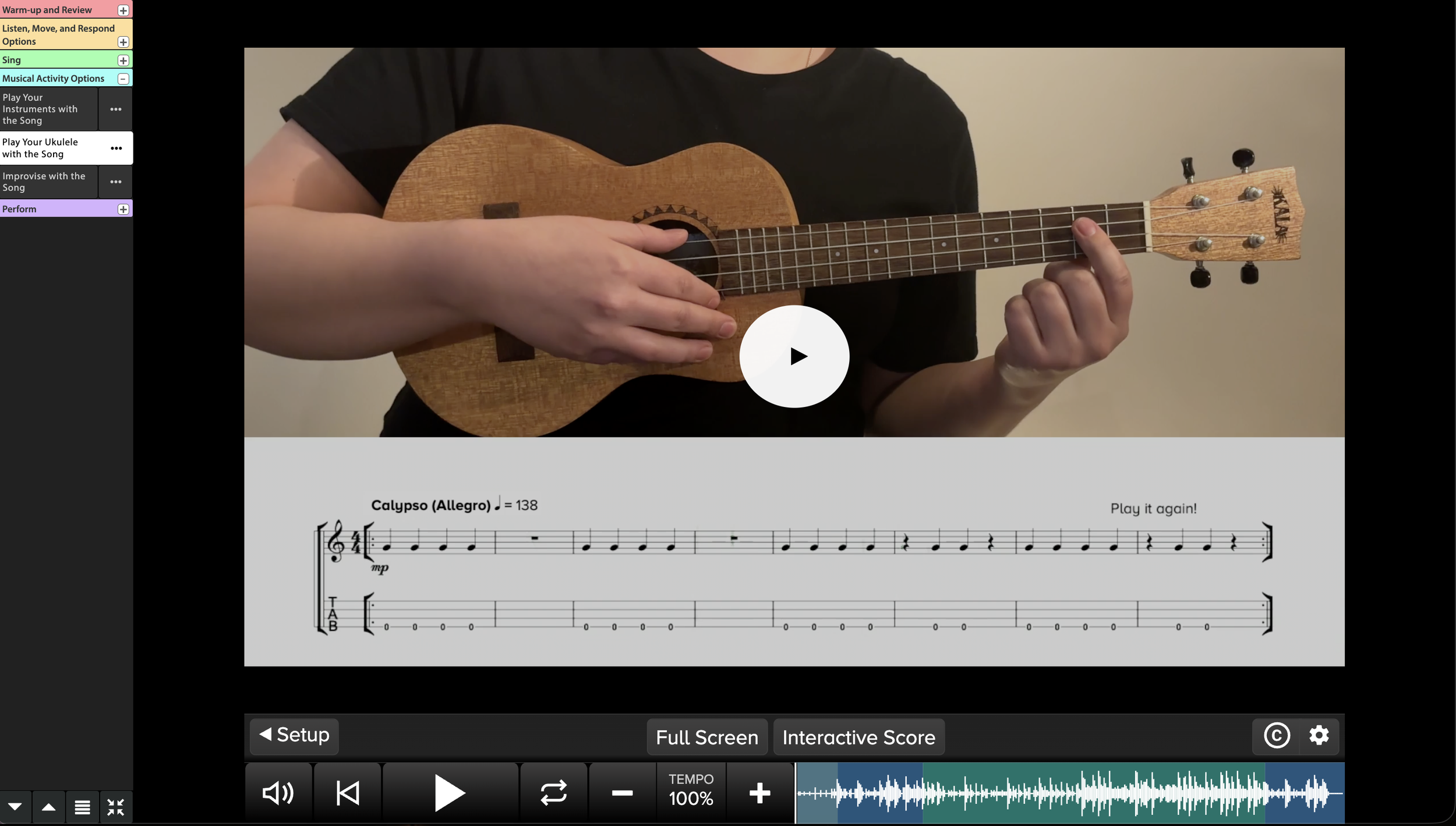
Grade 3: Four White Horses, Video Score View
Two Parts for Different Skill Levels
One feature I especially appreciate is that each ukulele activity includes two instrumental parts.
Part 1 is typically the more advanced option. It may include additional chords or more frequent chord changes for students who are ready for a challenge.
Part 2 is more accessible and often uses just one chord. Some chord shapes are also simplified to make them more appropriate for young ukulele players.
This makes it much easier to differentiate within one class. Beginning students can experience success with Part 2 while students with more ukulele experience can perform Part 1. Everyone can participate in the same piece while working at an appropriate level.
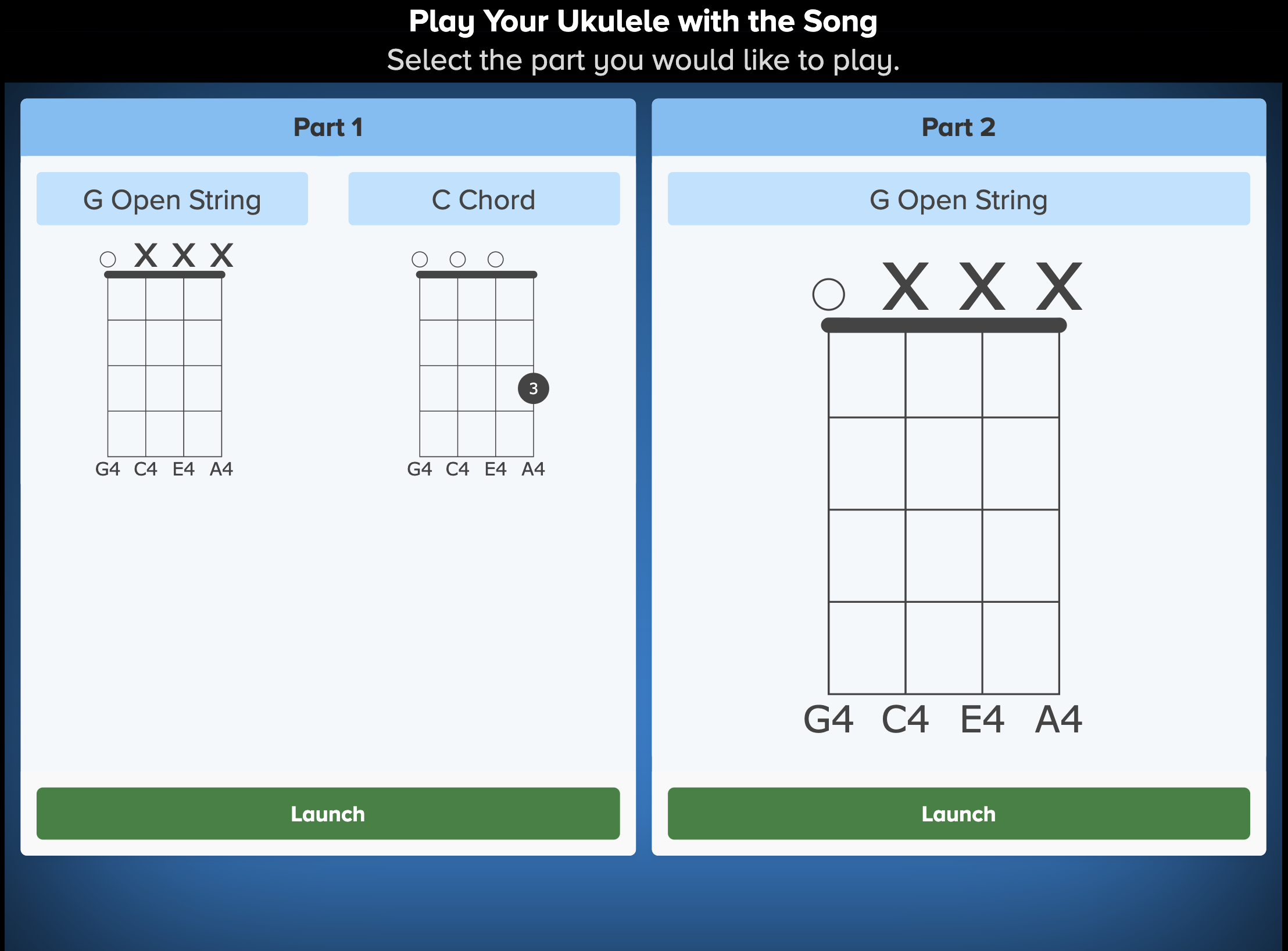
Two parts
Two Ways to Play Along
MFE also provides two different views for each activity, allowing teachers to choose the format that works best for their students.
Video Score View
As seen in the picture above, in the Video Score View, students watch musicians play the ukulele while performing along with them.
This view is especially helpful because students can observe the musicians’ hands and check their own finger placement as they play. It provides a visual model that can make learning a new chord or strumming pattern much clearer.
However, some elementary students may find it challenging that the musician on the screen is not mirroring them.
Interactive Score View
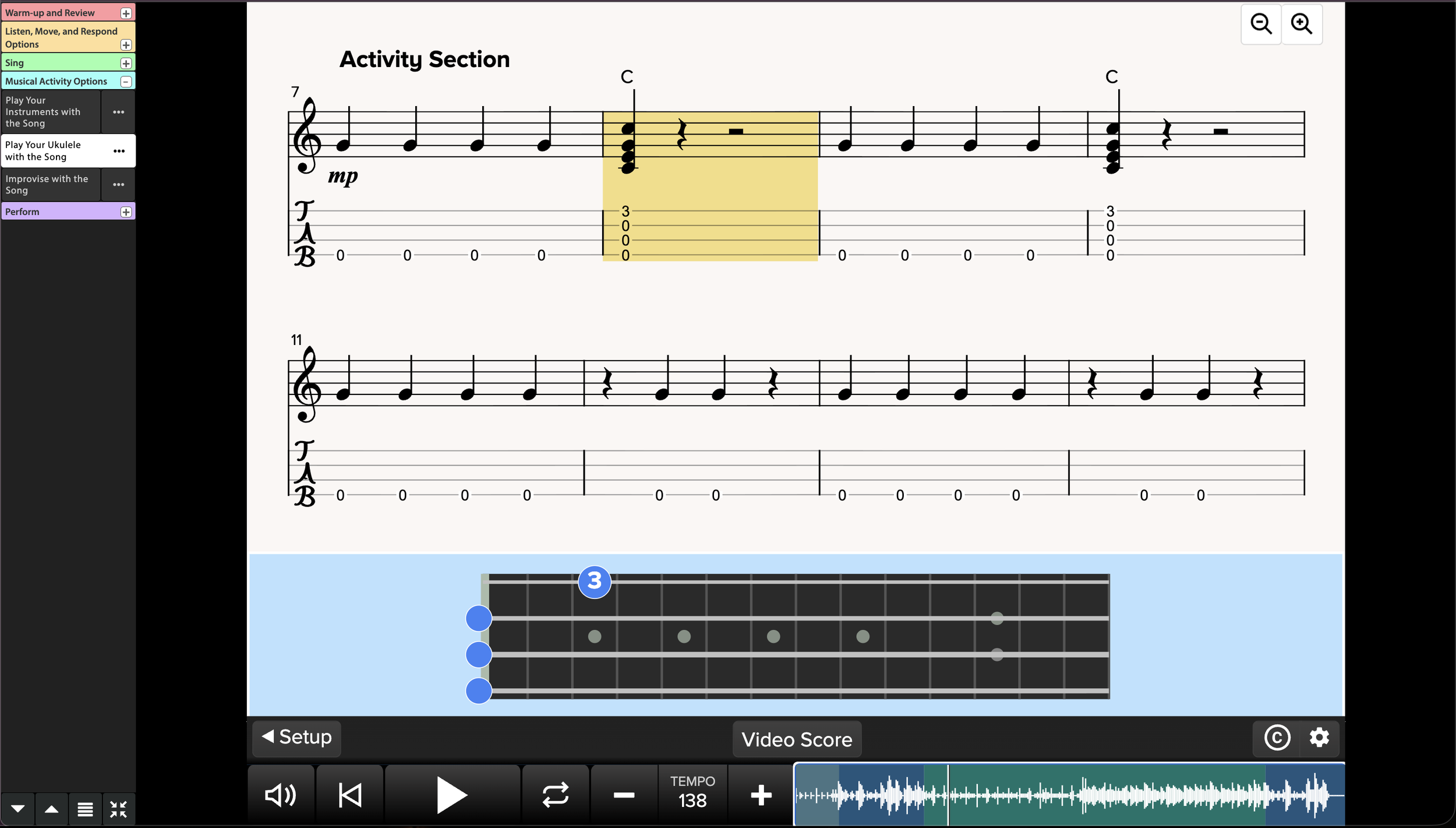
Interactive Score View for Four White Horses
For students who prefer to follow the music without watching a performer, MFE offers an Interactive Score View.
In this view, the score lights up as the music plays, helping students see exactly where they are in the piece. This can make it easier for them to follow chord changes, stay together, and play independently.
Having both views gives teachers the flexibility to select the one that best supports each class—or to begin with the video model and transition to the interactive score as students become more confident.
Prefer Paper? Print the Music!
Teachers can also print the music for students to use.
This is a helpful option when students are ready to move away from the screen, when devices are limited, or when printed copies would make rehearsing and performing easier.
Why This App Works in an Elementary Music Classroom
The new ukulele app does more than provide another play-along. It helps teachers:
Differentiate parts for beginning and more experienced players
Model finger placement and playing technique
Support students with a light-up interactive score
Include students who may know only one chord
Print the music for rehearsals or performances
Spend less time searching for age-appropriate ukulele resources
Most importantly, it gives young musicians an accessible way to experience the joy of playing together.
Try It Out Today!
Would you like to explore the ukulele app and the other new resources inside MusicFirst Elementary?
Sign up for a free trial of MusicFirst Elementary today and begin exploring the new activities with your students!