❓ Where Can I Find Quality Music Images for Canva (Without Creating It All From Scratch)
If you use Canva for Education to design manipulatives, certificates, bulletin boards, slide decks, or play-along visuals, you already know how powerful it can be.
But here’s the real question many music educators ask:
Where do I find ready-to-use notation, chord symbols, solfège hand signs, dynamics, and instrument diagrams — all in one place?
Instead of recreating quarter notes and chord charts every single time, you can build your own music image library inside Canva in just a few minutes.
Watch how to do this here, or keep reading...
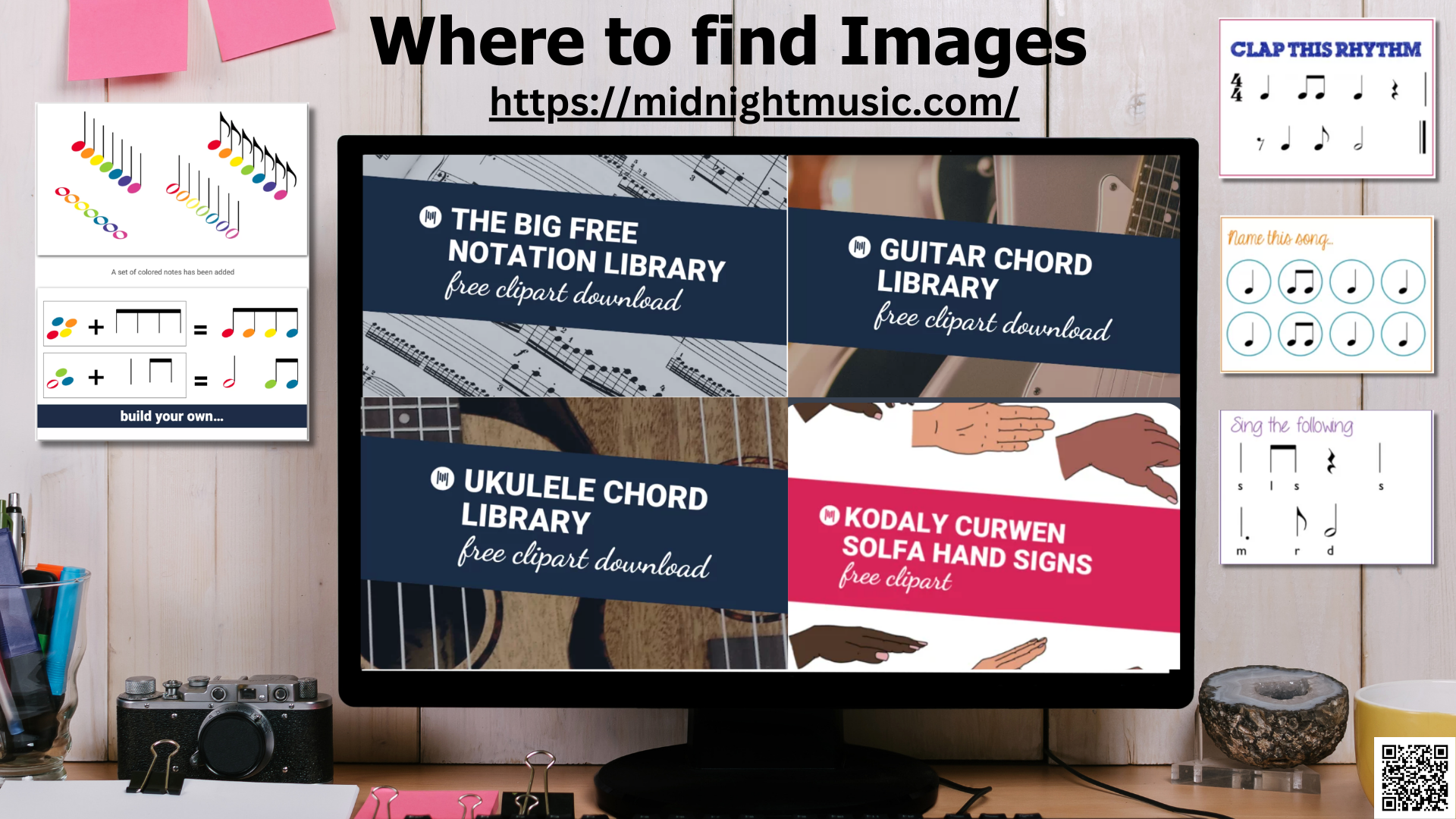
One of the most generous free collections available comes from Midnight Music, created by Katie Argyle.
She has compiled downloadable image libraries specifically for music educators:
🎸 Free Guitar Image Library
92 guitar chord diagrams
🎵 Big Free Notation Image Library
200+ music elements, including:
Traditional notation
Stick notation
Boomwhacker notation
Dynamics
Articulations
And more
🎶 Ukulele Chord Image Library
75 ukulele chord diagrams
✋ Kodály/Curwen Solfège Hand Signs
70 outlined and filled hand sign images
To download the folder, you must sign up for the newsletter. (You can unsubscribe if it’s not for you.)
🔊Boomwhacker Sound and Image Library
1 “group” image with all the Boomwhackers together
8 individual Boomwhacker images (a one-octave set), with an audio file for each one
💡 Why This Is a Game Changer
Instead of:
Rebuilding chord charts
Searching Google for usable notation
Screenshotting low-resolution images
Drawing symbols manually
You can:
Upload the entire folder into Canva once
Keep it organized in your “Projects” area
Reuse images again and again
Design faster and more professionally
For those of us creating printable manipulatives, digital slides, recorder certificates, boomwhacker charts, or upper elementary composition projects — this saves serious time.
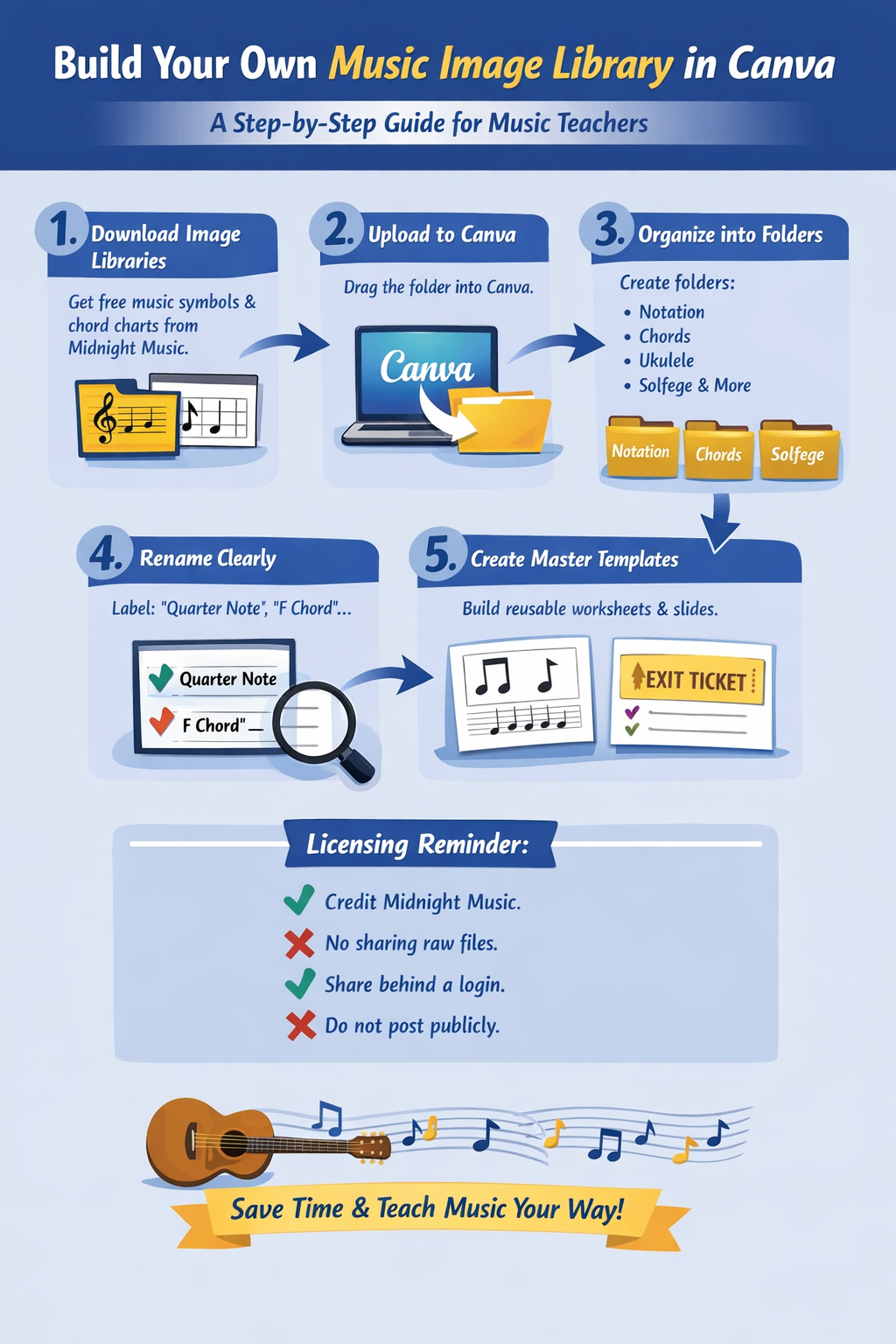
🖥 How to Upload the Files to Canva
It’s simple:
Download the image folders.
Open Canva.
Drag the folders directly into Canva.
Locate them in your Projects section on the left side.
Use them in any design just like native Canva elements.
Once uploaded, they’re always there when you need them.
📌 Can You Use These Images in Products?
According to Midnight Music:
✅ Yes, you may use the images in commercial products with credit to Midnight Music and a link back to the source blog.
❌ You may not distribute the image files themselves.
👩🏫 Educators may share the files with students behind a login (classroom portal, LMS, email).
🚫 Do not post the raw files on a publicly accessible website.
Always double-check the most current licensing terms before publishing.
🎶 Final Thought
If Canva is your design hub, building a personal music image library inside it might be one of the smartest teacher workflow decisions you make this year.
No more scrambling for symbols.
No more blurry screenshots.
Just organized, ready-to-go music visuals at your fingertips.