Can a Simple Name Spinner Transform Your Music Practice and Assessments?
Happy snow day! ❄️ If your day looked anything like mine, it may have included a peaceful pause—or a couple of hours shoveling out from 10+ inches of snow. Either way, snow days are a great reminder that flexibility is key in teaching… and that’s exactly where today’s Teacher Tip Tuesday comes in.
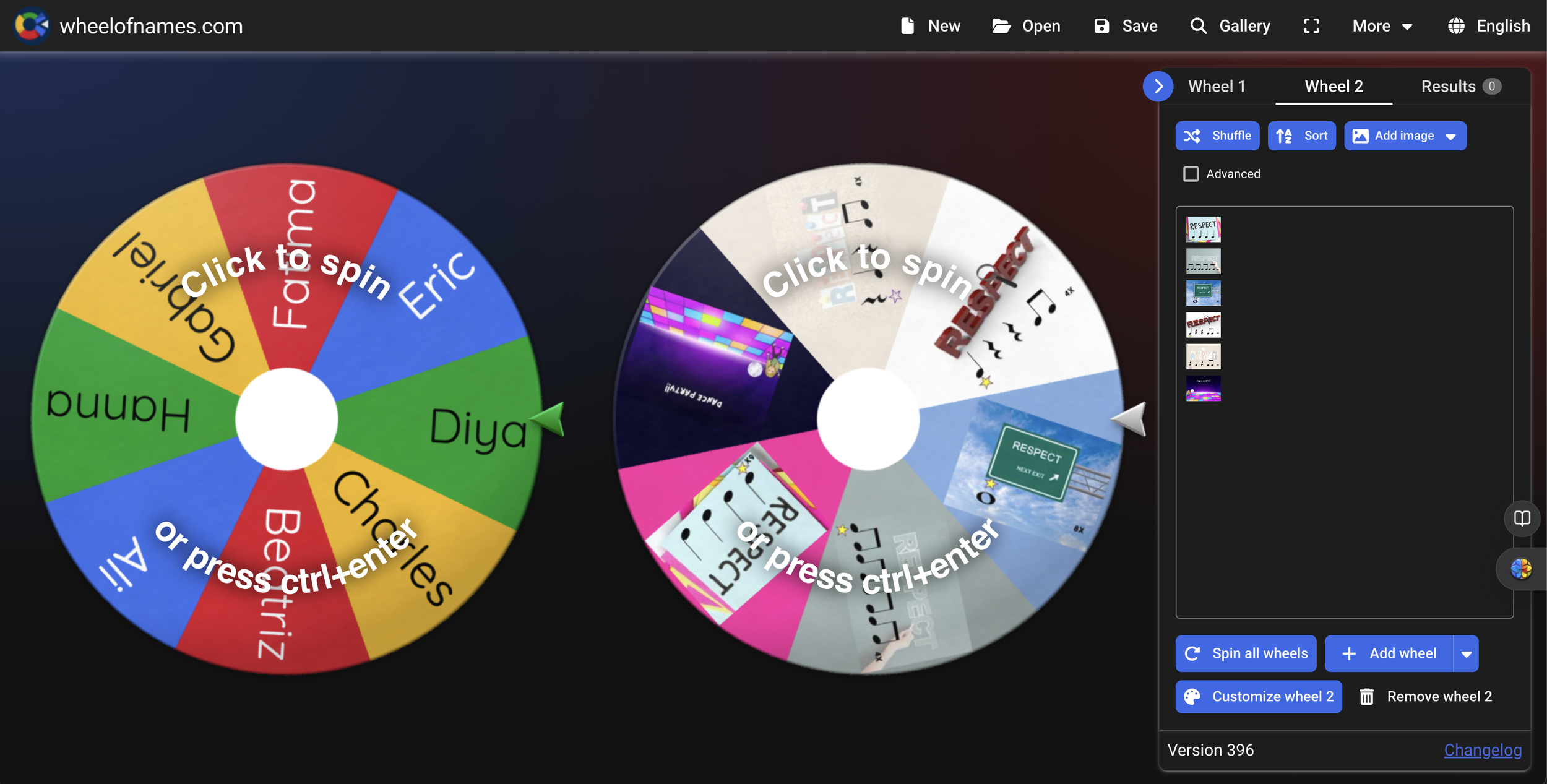
If you’ve used Wheel of Names as a fun name picker, you already know it’s engaging. But there’s a new update that makes this free tool even more powerful for practice, preparation, and assessment in the elementary music classroom.
👉 Wheel of Names: https://wheelofnames.com
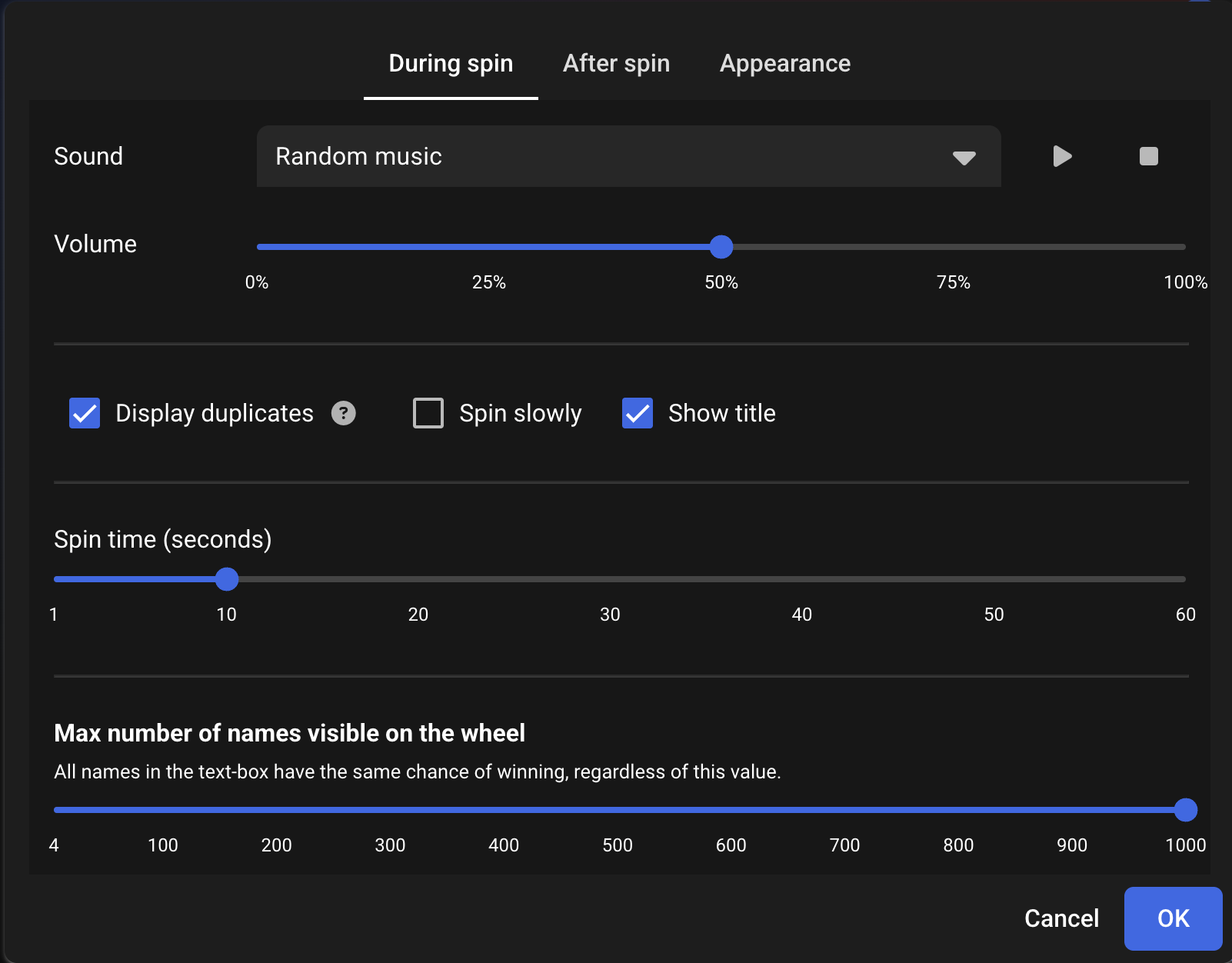
StWhen you first open Wheel of Names, you’ll see the default wheel. Before spinning, take a moment to customize:
During spin: (I often rename it to something like Random Music).
Edit After spin: after a spin (for example, a “correct answer” ding).:
Adjust the appearance: themes like Winter Wonderland are perfect for seasonal lessons.
Yes, the cookie theme is always a student favorite 🍪, but matching the theme to your lesson can really boost engagement.
These small tweaks immediately make the tool feel intentional, not random.
SOne of the newest features is the ability to add multiple wheels (currently labeled as beta). This opens up so many possibilities:
Combine two classes during an adjusted schedule
Separate names and musical content
Avoid switching tabs mid-lesson
Create it to be horizontal or vertical
For example:
One wheel = student names
Second wheel = rhythms, patterns, or tasks
With one click, you can spin all wheels at once and instantly assign who plays what.
Step 3: Turn It into a Music Practice Tool
Instead of just choosing names, try this:
Spin the wheel to select two students
Spin a second wheel with rhythm patterns
Students come up and perform the selected rhythm
This works beautifully for:
Rhythm reading
Call-and-response practice
Preparing for a class play-along
Practice
Assessments
Because the selection feels random, students stay focused—and everyone knows they might be next.
Step 4: Create Your Own Custom Rhythm Wheels with Images
Here’s where it gets really powerful.
You can create a custom image-based wheel using your own visuals:
Download a rhythm or concept resource (for example, a free PowerPoint from your Buy Me a Coffee page).
Export the slides as PNG images.
In Wheel of Names:
Clear the default entries
Choose Add Image as Entry
Upload each image
Now you’ve created a visual rhythm wheel that students can see and respond to instantly.
Once saved, that wheel can be reused anytime—no rebuilding required.
Step 5: Use It for Assessment (Without the Pressure)
Because Wheel of Names feels playful, it’s a fantastic informal assessment tool:
Spin for a student
Spin for a rhythm or task
Observe accuracy, steady beat, and technique
You’re assessing skills in real time, without calling it a “test.” With multiple wheels, you can even have groups rotate through tasks seamlessly.
Why This Works So Well in Elementary Music
✔️ Keeps students engaged
✔️ Saves time during transitions
✔️ Supports differentiation
✔️ Works for whole group, small group, or combined classes
✔️ Completely free
What started as a simple name chooser is now a flexible teaching tool you can use tomorrow.
I hope this gives you some new ideas for using Wheel of Names in your music classroom—whether for practice, preparation, or assessment.
Happy teaching, and enjoy that snow day energy while it lasts! 🎶❄️tep 2: Use the New “Multiple Wheels” Feature (Game Changer!)ep 1: Customize the Wheel for Music Class
**Many thanks to Katie Argyle from midnightmusic.com for making me aware of the new update!