#techtiptuesday Turn a YouTube Video into a Slide Presentation using Brick
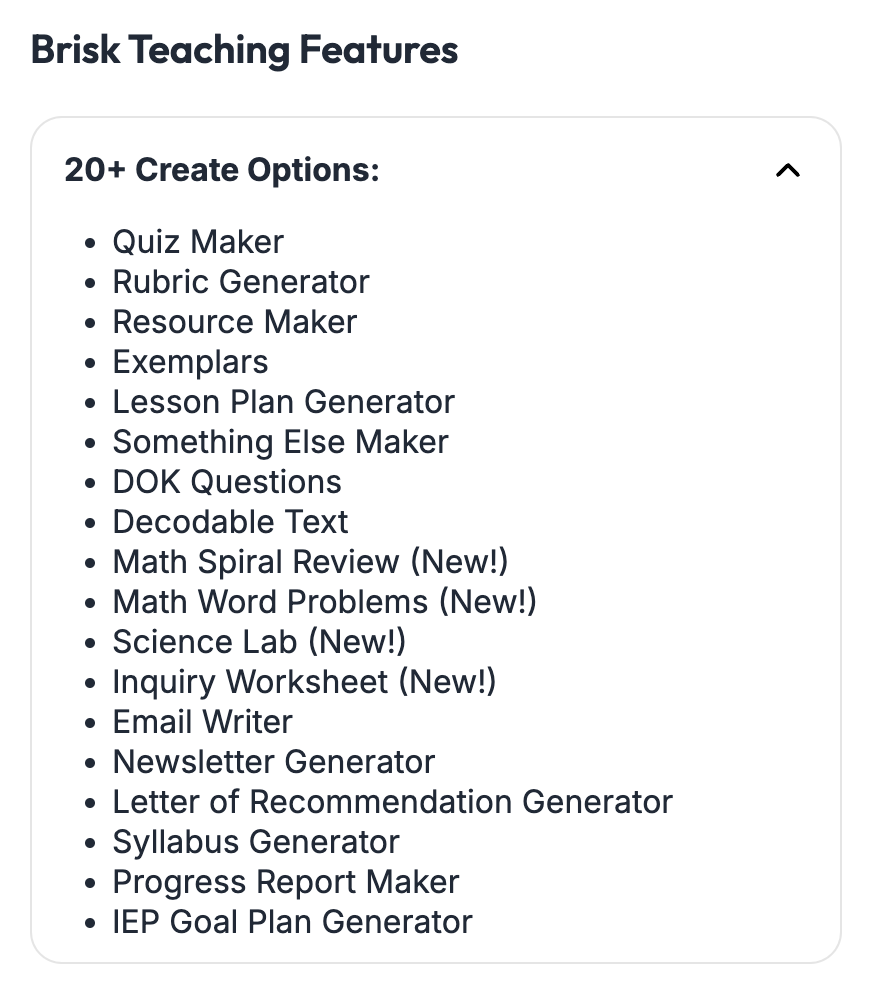
Brisk Teaching (https://www.briskteaching.com/) is an AI-driven tool aimed at helping educators to “save 10-20+ hours this week.” It includes a variety of features that aid in the creation of instructional materials and the provision of feedback, seamlessly integrated with platforms such as Google Docs, Slides, and web articles. Teachers can utilize Brisk to generate quizzes, lesson plans, presentations, and tailored materials, adapting reading levels or language to accommodate diverse learners.
Brisk is free for teachers, and you can intuitively add it to your Chrome Extensions (https://www.briskteaching.com/plans).

Turn a YouTube Video into a Slide Presentation using Brick
I saw this online and had to try it. My initial thought is that it could take one of my play-along videos and quickly generate each rhythm pattern into its own slide in a presentation. However, I was pleasantly surprised to see it generate slides about the artists, the styles of music, and more, turning it into a substantial lesson. Let’s take a look.
Here is my play-along video to Aretha Franklin’s Respect. I have added Brisk to my Chrome Extensions. When I click on Brisk, it asks for what I would like to create, from presentations to lesson plans to rubrics and more. I then can tell it what language to create the presentation, choose a template, prompt it more or less, choose the grade level, the number of slides, whether it has images or not, and if I want to add standards and personalize for my students. The Core Art Standards and state music standards are not listed at this time. You can only personalize the presentation for your learners when you have unlocked the feature by giving feedback.

This is a great feature of Brisk as you can use it to:
Create a lesson with a slide show that revolves around a video.
Help you to get started with a presentation that will accompany a video.
Give additional information about the songs or topics found in the video.
And so much more!
There are other tools that can make a presentation from prompts like Canva for Education. However, it is always nice to have options, especially if you use Google Slides daily in your music classes or are working on a Chromebook daily.
**Music by Unicorn Heads called Sunshine on Sand.